iOS-HQSliderView点击不同Button切换tableViewCell
作者:袖梨
2022-06-25
效果:
| 代码如下 | 复制代码 |
|
1.自定义的点击Button切换不同TableViewCell,效果如图所示
| |
HQSliderView.gif
使用教程:
| 代码如下 | 复制代码 |
|
2.1 导入HQSliderView
| |
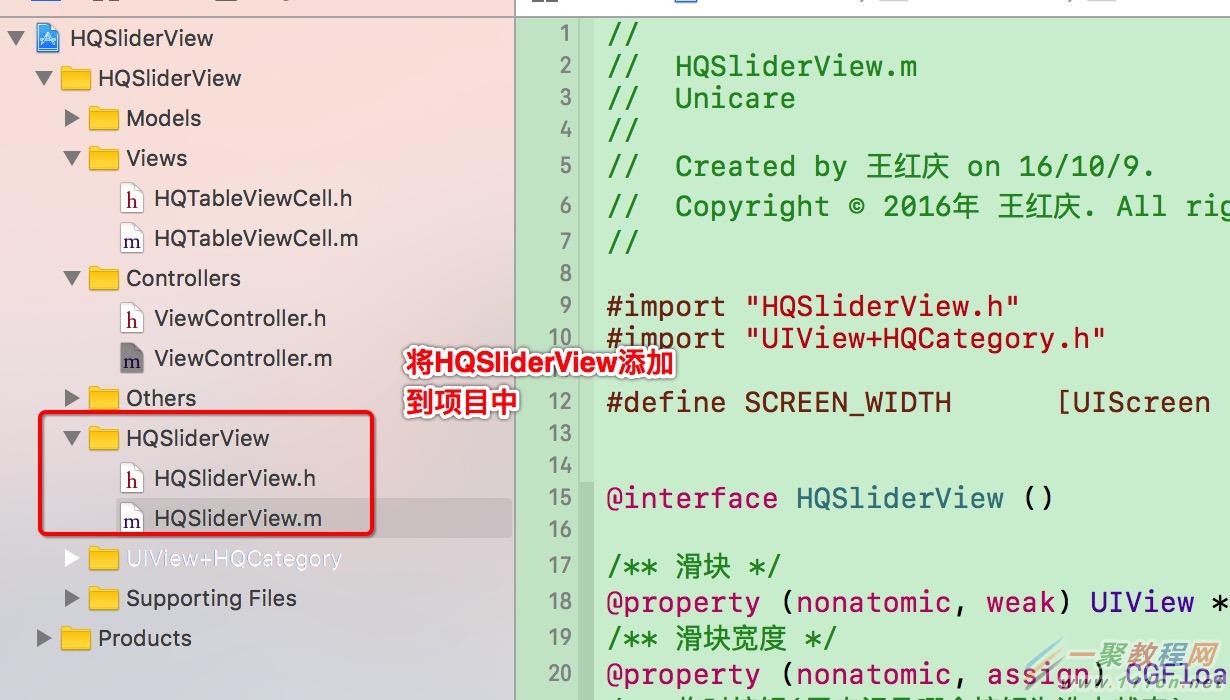
拷贝HQSliderView到项目中.png
| 代码如下 | 复制代码 |
|
2.2 viewDidLoad方法里面
| |
- (void)viewDidLoad {
    [super viewDidLoad];

    self.view.backgroundColor = [UIColor whiteColor];

    [self setupTopSliderView];
    [self setupTableView];
}| 代码如下 | 复制代码 |
|
2.3 创建上部SliderView
| |
#pragma mark - 创建上部SliderView
- (void)setupTopSliderView
{
    HQSliderView *sliderView = [[HQSliderView alloc] initWithFrame:CGRectMake(0, NAV_HEIGHT, SCREEN_WIDTH, SLIDER_HEIGHT)];
    sliderView.titleArr = @[@"全部", @"待付款", @"已付款", @"退款"];
    sliderView.delegate = self;
    [self.view addSubview:sliderView];
}| 代码如下 | 复制代码 |
|
2.4 创建TableView
| |
#pragma mark - 创建TableView
- (void)setupTableView
{
    UITableView *tableView = [[UITableView alloc] initWithFrame:CGRectMake(0, NAV_HEIGHT + SLIDER_HEIGHT, SCREEN_WIDTH, SCREEN_HEIGHT - NAV_HEIGHT)];
    tableView.dataSource = self;
    [self.view addSubview:tableView];
    self.tableView = tableView;
}| 代码如下 | 复制代码 |
|
2.5 实现TableView的数据源方法
| |
#pragma mark - UITableViewDataSource
- (NSInteger)tableView:(UITableView *)tableView numberOfRowsInSection:(NSInteger)section
{
    if (self.menuTag == 0) {
        return 3;
    } else if (self.menuTag == 1) {
        return 6;
    } else if (self.menuTag == 2) {
        return 9;
    } else {
        return 12;
    }
}

- (UITableViewCell *)tableView:(UITableView *)tableView cellForRowAtIndexPath:(NSIndexPath *)indexPath
{
    HQTableViewCell *cell = [HQTableViewCell tableViewCellWithTableView:tableView];

    if (self.menuTag == 0) {
        cell.textLabel.text = [NSString stringWithFormat:@"全部 --- 第%ld行", indexPath.row];
    } else if (self.menuTag == 1) {
        cell.textLabel.text = [NSString stringWithFormat:@"待付款 --- 第%ld行", indexPath.row];
    } else if (self.menuTag == 2) {
        cell.textLabel.text = [NSString stringWithFormat:@"已付款 --- 第%ld行", indexPath.row];
    } else {
        cell.textLabel.text = [NSString stringWithFormat:@"退款 --- 第%ld行", indexPath.row];
    }

    return cell;
}| 代码如下 | 复制代码 |
|
2.6 实现HQSliderView的代理方法
| |
#pragma mark - HQSliderViewDelegate
- (void)sliderView:(HQSliderView *)sliderView didClickMenuButton:(UIButton *)button
{
    self.menuTag = button.tag;
    [self.tableView reloadData];
}
相关文章
-
DeepSeek多模态怎么样及保姆级配置教程(codex、claude)实用指南
游戏攻略 2026-10-17
-
WSL2+Docker+Ollama本地部署大模型思路和实践指南(Qwen1.8b)实用指南
游戏攻略 2026-10-17
-
DeepSeek Harness热门插件盘点:10个实用插件,覆盖多Agent、上下文和多模态实用指南
游戏攻略 2026-10-17
-
grep文本搜索与正则表达式完整代码示例实用指南
游戏攻略 2026-10-16
-
AI漫剧伪装直男1‑24集无雾版夸克网盘资源免费分享
游戏攻略 2026-10-15
-
AI漫剧玉僧入尘1-68集无雾无删版夸克网盘资源免费分享
游戏攻略 2026-10-15