如何查看Python安装了哪些包
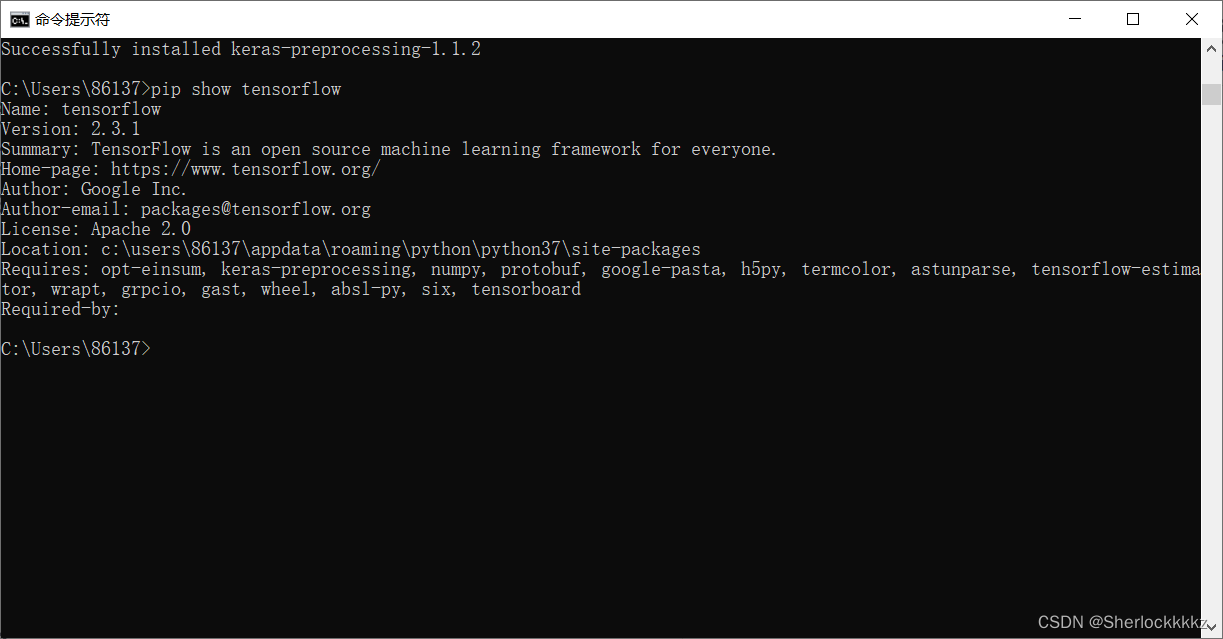
查找是否安装了具体的包
cmd中输入 pip show -包名
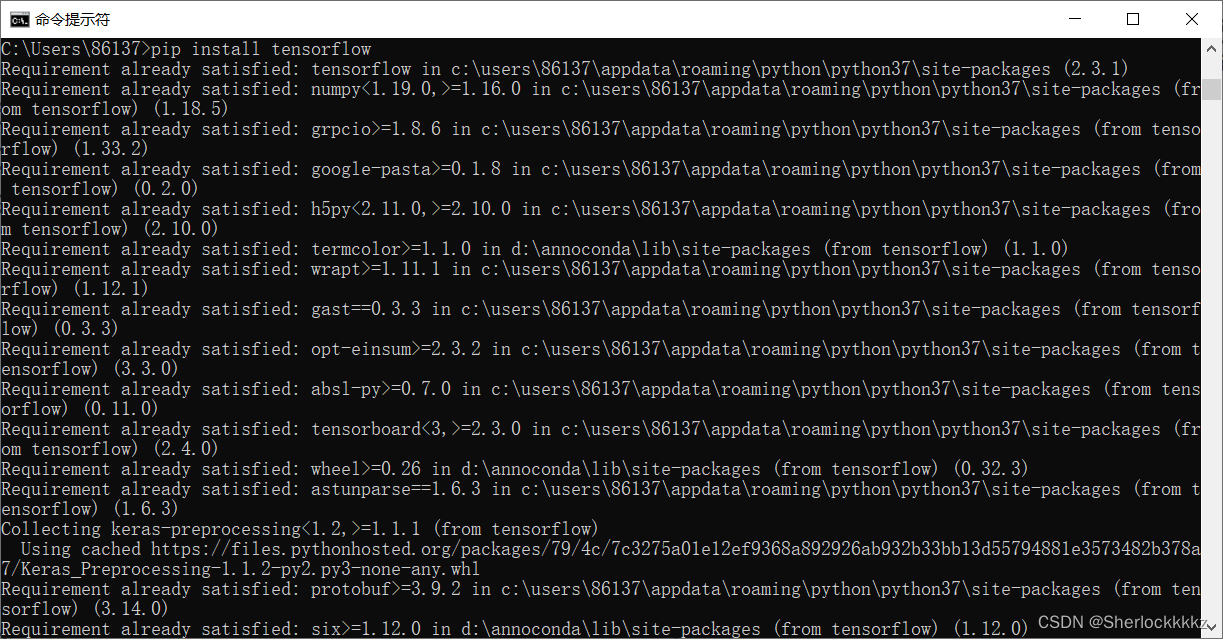
怎么安装包?
如果是在cmd中,可以直接输入 pip install -包名(若在jupyter中前面加个“!”)
更新包
pip install --upgrade 包名
若出现以下报错:
Could not install packages due to an EnvironmentError:HTTPSConnectionPool(host='files.pythonhosted.org', port=443): Max retries exceeded with url:/packages/d5/31/b026f9f7c87adf8027f51f98f392f6558982485b7202af5f9276492b2141/Pillow-9.3.0-1-cp37-cp37m-win_amd64.whl (Caused by ConnectTimeoutError(<pip._vendor.urllib3.connection.VerifiedHTTPSConnection object at 0x00000237E4168518>, 'Connection to files.pythonhosted.org timed out. (connect timeout=15)'))
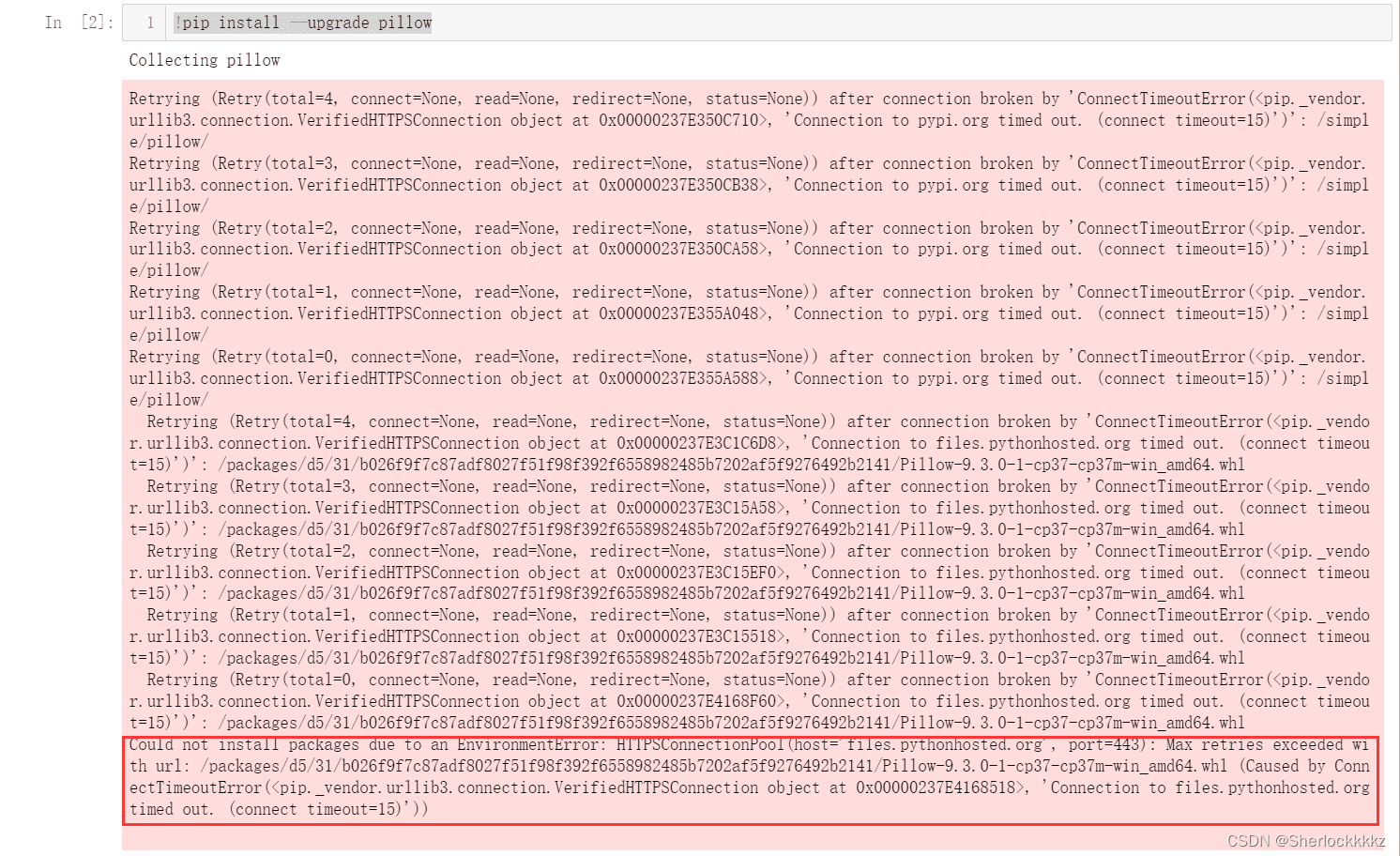
则需要换个源下载:
pip install 包名 -i 指定源pip install --upgrade 包名 -i 指定源
清华:https://pypi.t*u*na.tsi*nghua.edu.cn/simple阿里云:http://mirrors.aliyun.com/pypi/simple中国科技大学 https://pypi.mirrors.*ustc.e*d*u.cn/simple华中理工大学:http://pypi.hustunique.com/山东理工大学:http://pypi.sdutlinux.org/豆瓣:http://pypi.douban.com/simple/
问题解决:

总结
到此这篇关于如何查看Python安装了哪些包的文章就介绍到这了,更多相关Python安装包查看内容请搜索一聚教程网以前的文章或继续浏览下面的相关文章希望大家以后多多支持一聚教程网!