Java JUC源码分析系列笔记-Synchronized
1. 是什么
Java 中悲观锁的一种实现,相比于 volatile 是重量级锁,可以保证原子性、有序性、可见性
- 重量级
会引起上下文切换(会造成线程阻塞) - 原子性
synchronized 方法、synchronized 代码块被视作原子的 - 有序性
线程 A 对于锁 X 的释放发生于线程 B 对于锁 X 的申请之前。
也就是说线程 A 在释放锁之前的所有写操作造成的更新,之后线程 B 在申请锁之后的读操作都可以看到这些更新结果 - 可见性
synchronized 方法或代码块里修改的共享变量,在退出临界区时会写回主内存
2. 什么时候使用
2.1. 多线程访问共享资源时的并发问题
当我们进行多线程开发的时候,需要在多个线程之间进行通信,而通信一般都是通过读写共享变量实现的,如果操作的顺序不当就会出现异常的结果。
举个例子,如下一段程序
public class MultiThread { private static int val = 0; public static void main(String[] args) throws InterruptedException { Thread thread1 = new Thread(()->{ for (int i = 0; i < 100000; i++) { val++; } }); Thread thread2 = new Thread(()->{ for (int i = 0; i < 100000; i++) { val--; } }); thread1.start(); thread2.start(); thread1.join(); thread2.join(); System.out.println(val); } }thread1 对 val 执行 100000 次加操作,而 thread2 对 val 执行 100000 此减操作,最终的结果应该是 0,但实际得出的结果却是不确定的。
2.1.1. 究其原因
假设这两个线程为 thread1 和 thread2,操作如下:
- thread1
第1步:thread1读取内存中的val到工作内存中,值为0 第2步:thread1对val+1,写回工作内存,此时工作内存中的值为1 第3步:thread1失去cpu 第8步:thread1把工作内存中的1写回主内存 //此时主内存中的值为1!!!- thread2
第4步:thread2读取内存中的val到工作内存中,值为0 第5步:thread2对val-1,写回工作内存 第6步:thread2把工作内存中的值写回主内存 //此时主内存中的值为-1 第7步:thread2失去cpu由上面的步骤可以看出最后内存中的 val 为-1,但是正确的结果应该是 0 才对。
2.1.2. 解决的方法
也很简单,就是加锁,如下使用了 synchronized 代码块
public class MultiThread { private static int val = 0; public static void main(String[] args) throws InterruptedException { Thread thread1 = new Thread(() -> { for (int i = 0; i < 100000; i++) { synchronized (MultiThread.class) { val++; } } }); Thread thread2 = new Thread(() -> { for (int i = 0; i < 100000; i++) { synchronized (MultiThread.class) { val--; } } }); thread1.start(); thread2.start(); thread1.join(); thread2.join(); System.out.println(val); } } 3. 如何使用
Synchronize 有三种用法
3.1. 修饰 static 方法。使用的锁是当前类对象
public class SychronizedTest1 { private static StringBuilder stringBuilder = new StringBuilder(); public static void main(String[] args) throws InterruptedException { Thread addThread = new Thread(() -> { for (int j = 0; j < 5000; j++) { append("aaaa"); } }); Thread decrThread = new Thread(() -> { for (int j = 0; j < 5000; j++) { append("aaaa"); } }); addThread.start(); decrThread.start(); addThread.join(); decrThread.join(); String str = stringBuilder.toString(); System.out.println(str); System.out.println(str.length()); System.out.println(str.contains("a")); System.out.println(str.length() == 5000 * 2 * 4);//true } private synchronized static void append(String val) { stringBuilder.append(val); } }3.2. 修饰普通方法。使用的锁是当前实例对象
public class SychronizedTest2 { private static StringBuilder stringBuilder = new StringBuilder(); public static void main(String[] args) throws InterruptedException { SychronizedTest2 sychronizedTest2 = new SychronizedTest2(); Thread addThread = new Thread(() -> { for (int j = 0; j < 5000; j++) { sychronizedTest2.append("aaaa"); } }); Thread decrThread = new Thread(() -> { for (int j = 0; j < 5000; j++) { sychronizedTest2.append("aaaa"); } }); addThread.start(); decrThread.start(); addThread.join(); decrThread.join(); String str = stringBuilder.toString(); System.out.println(str); System.out.println(str.length()); System.out.println(str.contains("a")); System.out.println(str.length() == 5000 * 2 * 4);//true } private synchronized void append(String val) { stringBuilder.append(val); } }因为使用的是当前实例对象,如果创建两个实例对象,那么肯定是线程不安全了,如下:
public class SychronizedTest2 { private static StringBuilder stringBuilder = new StringBuilder(); public static void main(String[] args) throws InterruptedException { SychronizedTest2 sychronizedTest2 = new SychronizedTest2(); SychronizedTest2 sychronizedTest3 = new SychronizedTest2(); Thread addThread = new Thread(() -> { for (int j = 0; j < 5000; j++) { sychronizedTest2.append("aaaa"); } }); Thread decrThread = new Thread(() -> { for (int j = 0; j < 5000; j++) { sychronizedTest3.append("aaaa"); } }); addThread.start(); decrThread.start(); addThread.join(); decrThread.join(); String str = stringBuilder.toString(); System.out.println(str); System.out.println(str.length()); System.out.println(str.contains("a")); System.out.println(str.length() == 5000 * 2 * 4);//false } private synchronized void append(String val) { stringBuilder.append(val); } }3.3. 修饰代码块。使用的锁是()里指定的对象
public class SychronizedTest3 { private static StringBuilder stringBuilder = new StringBuilder(); public static void main(String[] args) throws InterruptedException { Thread addThread = new Thread(() -> { for (int j = 0; j < 5000; j++) { append("aaaa"); } }); Thread decrThread = new Thread(() -> { for (int j = 0; j < 5000; j++) { append("aaaa"); } }); addThread.start(); decrThread.start(); addThread.join(); decrThread.join(); String str = stringBuilder.toString(); System.out.println(str); System.out.println(str.length()); System.out.println(str.contains("a")); System.out.println(str.length() == 5000 * 2 * 4);//true } private static void append(String val) { synchronized (SychronizedTest3.class) { stringBuilder.append(val); } } }4. sychronized 代码块原理分析
4.1. 字节码实验
在 Idea 中运行下面的代码,并且使用 show byte code 插件查看字节码
public class MultiThread { private static int val = 0; public static void main(String[] args) throws InterruptedException { Thread thread1 = new Thread(() -> { for (int i = 0; i < 100000; i++) { synchronized (MultiThread.class) { val++; } } }); Thread thread2 = new Thread(() -> { for (int i = 0; i < 100000; i++) { synchronized (MultiThread.class) { val--; } } }); thread1.start(); thread2.start(); thread1.join(); thread2.join(); System.out.println(val); } }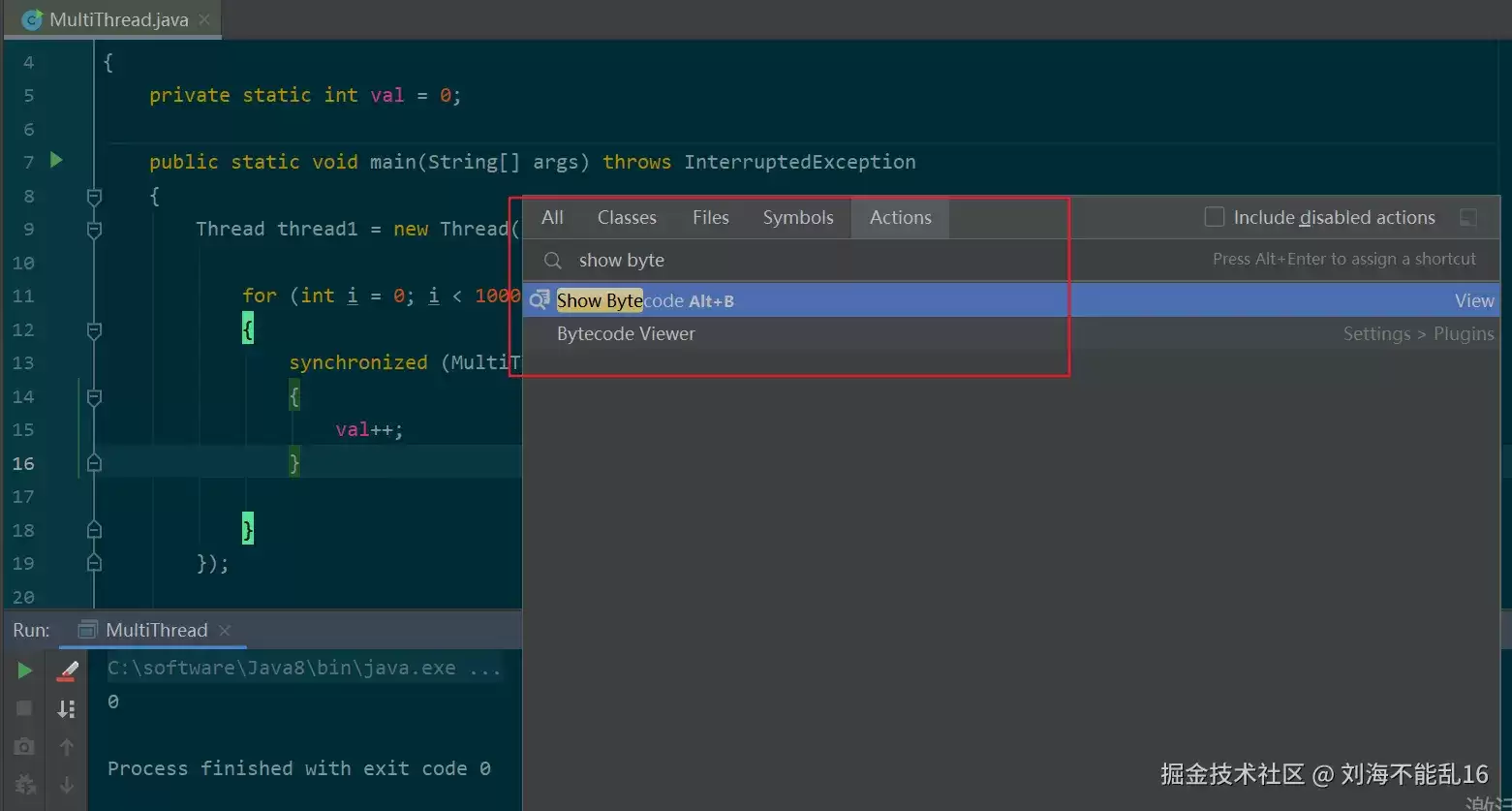
- 字节码如下:
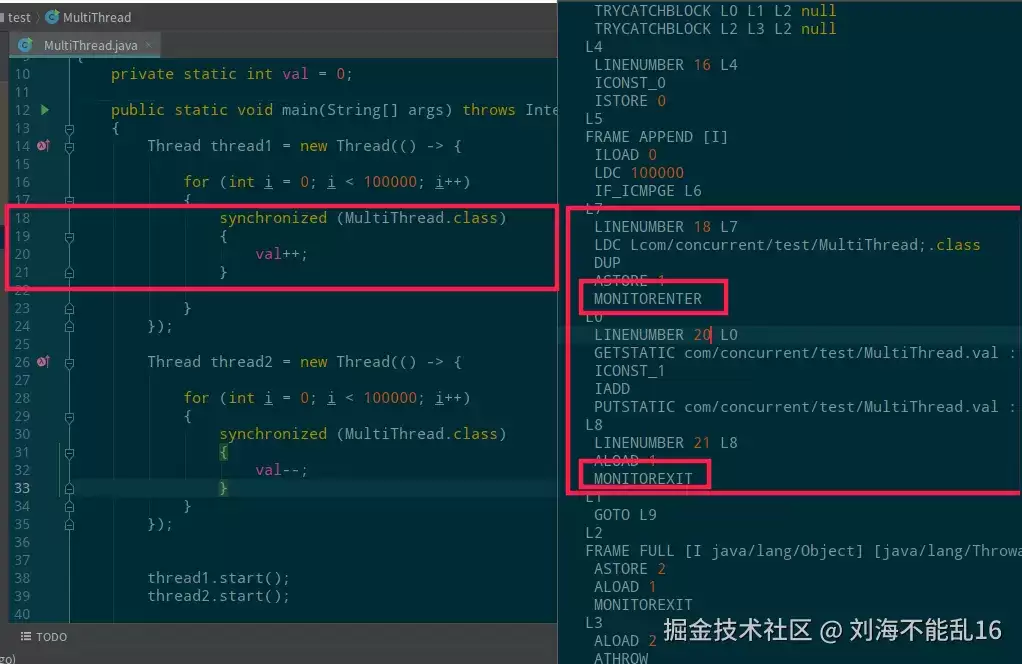
我们可以看到,18-21 的代码中对应的字节码有 MONITORENTER 和 MONITOREXIT 指令。
即执行同步代码块之前首先要执行 monitorenter,执行同步代码块之后要执行 monitorexit。
在 jvm 的指令手册中,MONITORENTER 表示进入并获取对象监视器,而 MONITOREXIT 表示释放并退出对象监视器,如下图:
4.1.1. monitor 是个啥玩意
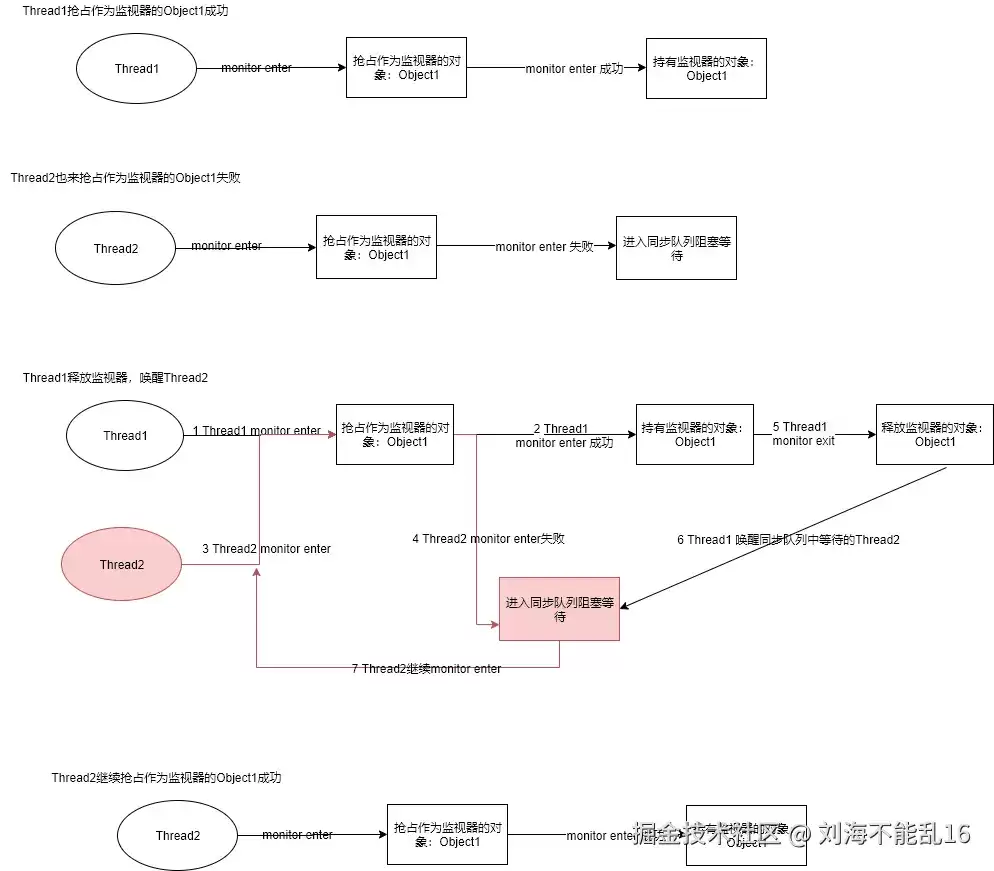
每个对象都可以看作是一个 monitor。
当这个对象作为 monitor 使用时,同一时间只能由一个线程持有。所谓持有其实就是做个标记,这个标记做在 java 对象头里面
4.1.1.1. JVM 对象组成
对象在内存中的布局.md
4.2. 汇编代码实验
4.2.1. 下载编译 hsdis-amd64.dll
参考How to build hsdis-amd64.dll and hsdis-i386.dll on Windows或者hsdis-amd64.7z
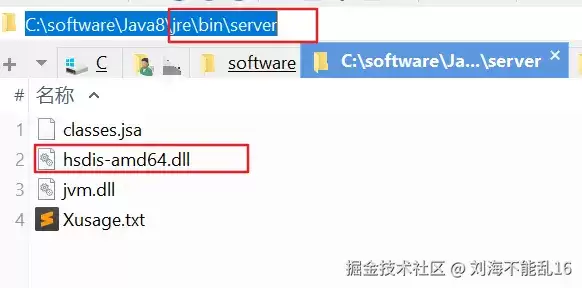
4.3. 放入 JRE bin 目录下
4.3.1. 对比实验
- 没有 sychronized
public class TestSynchronized { private static int i = 0; public static void main(String[] args) { test(); } private static void test() { i++; } }
- 有 sychronized
public class TestSynchronized { private static int i = 0; public static void main(String[] args) { test(); } private static void test() { synchronized (TestSynchronized.class) { i++; } } }4.3.2. 加上 jvm 参数运行
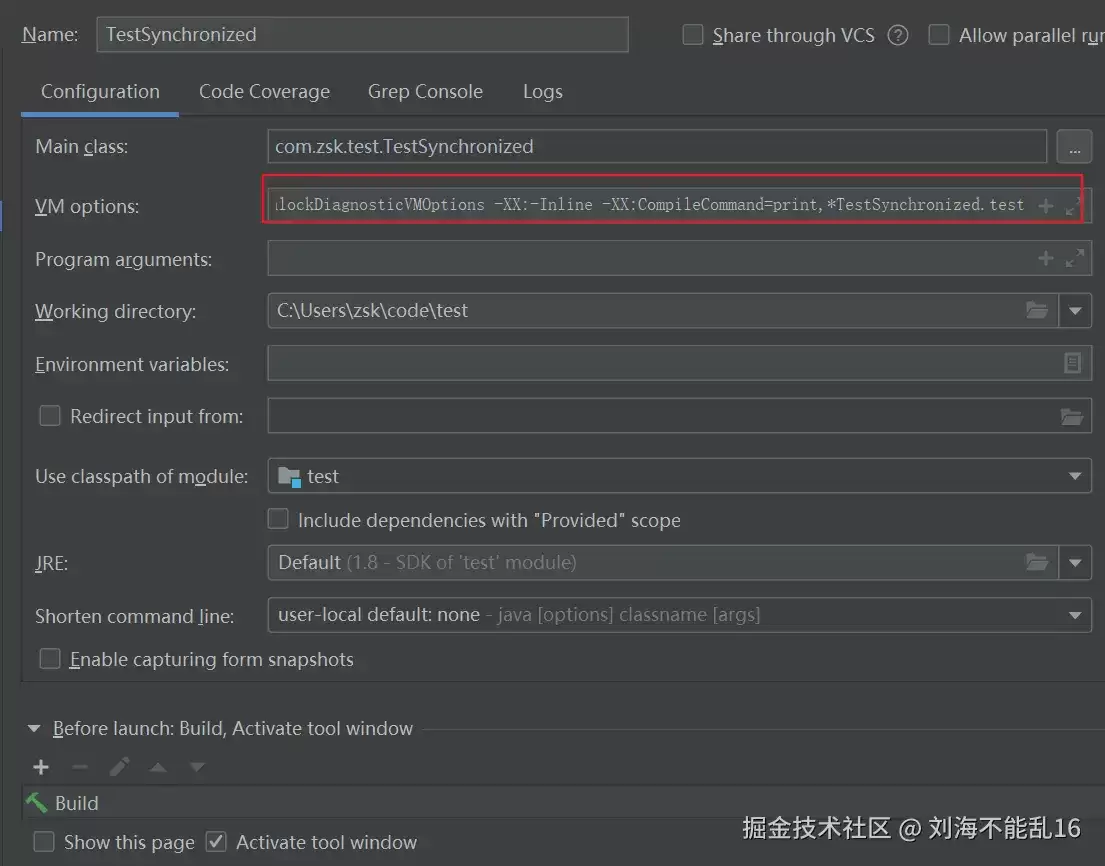
-server -Xcomp -XX:+UnlockDiagnosticVMOptions -XX:-Inline -XX:CompileCommand=print,*TestSynchronized.test
使用 IDEA 的话如下图:
4.3.3. 输出结果对比
- 加 synchronized.txt
- 没加 synchronized.txt
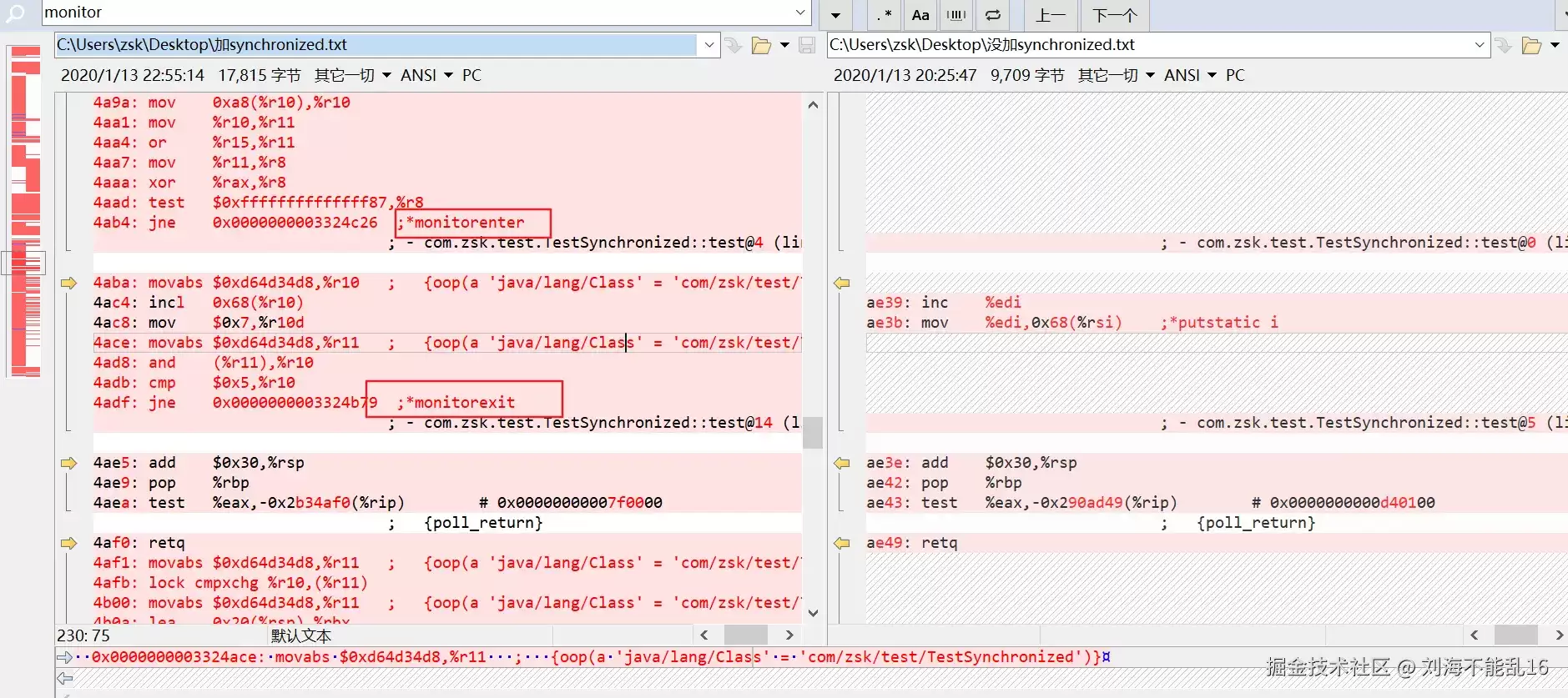
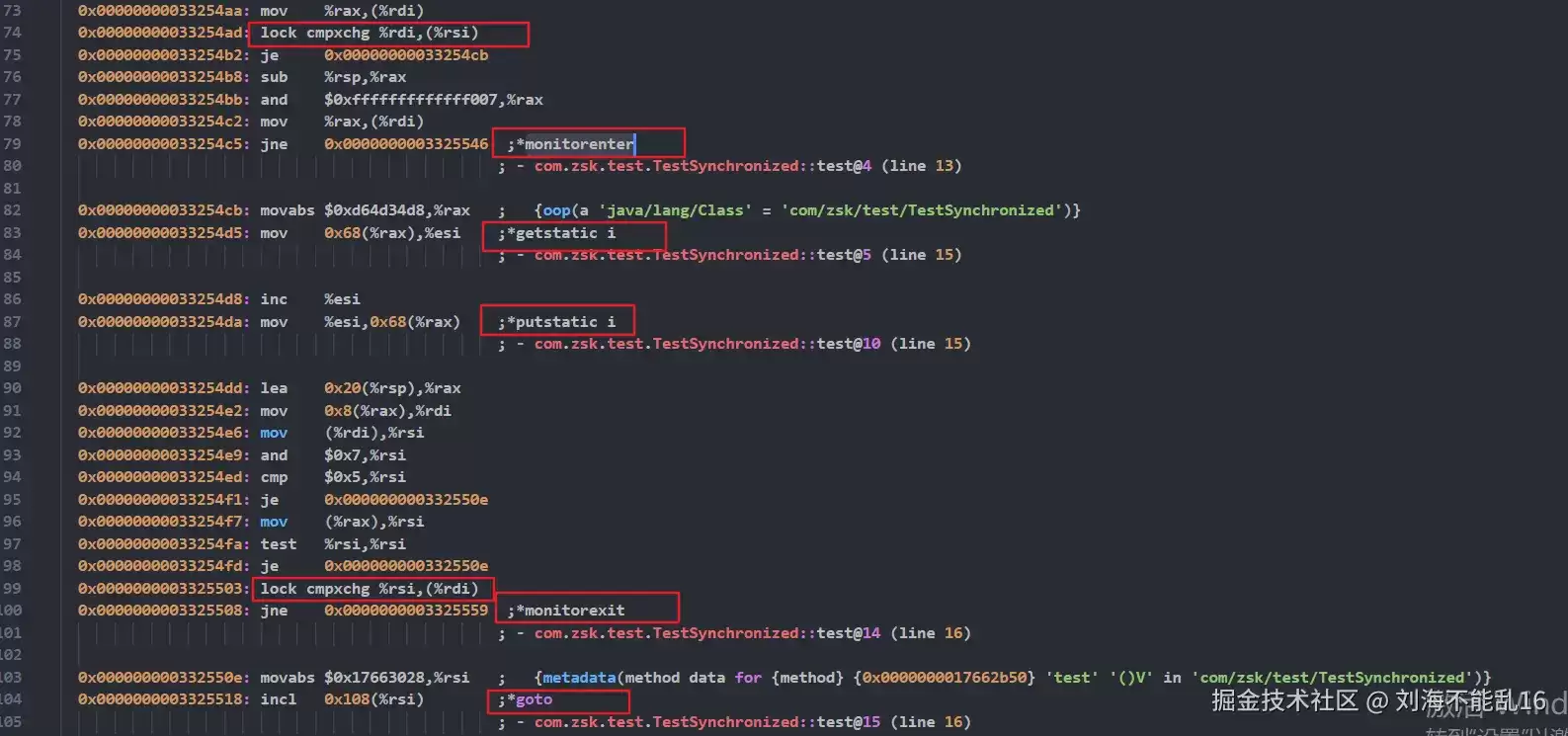
使用 BeyondCompare 对比发现加 synchronized 的多了 lock 和 monitorenter 等指令,如下:
4.4. 原子性
从汇编代码可以看出 monitorenter 与 monitorexit 包裹了如下代码:
0x00000000033254d5: mov 0x68(%rax),%esi ;*getstatic i //从内存中读取val的值到寄存器中 ; - com.zsk.test.TestSynchronized::test@5 (line 15) 0x00000000033254d8: inc %esi //执行val++ 0x00000000033254da: mov %esi,0x68(%rax) ;*putstatic i//将val的值从寄存器写回内存 ; - com.zsk.test.TestSynchronized::test@10 (line 15)
并且 monitorenter 前采用了原子操作lock cmpxchg %rsi,(%rdi)进行中间值的交换。
如果交换成功,则执行 goto 直接退出当前函数。如果失败,执行 jne 跳转指令,继续循环执行,直到成功为止。
4.5. 可见性
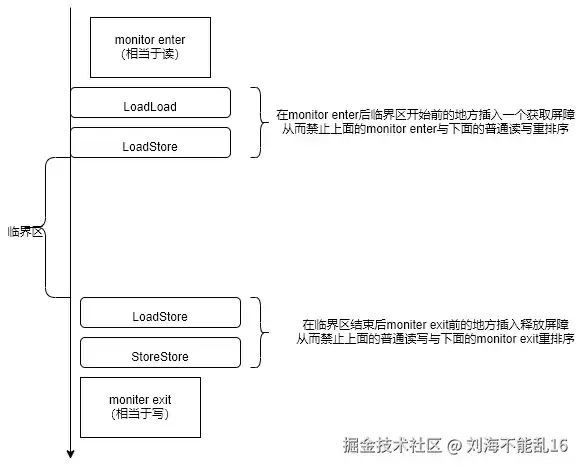
在 monitor enter 后临界区开始前的地方插入一个获取屏障,在临界区结束后 moniter exit 前的地方插入释放屏障。
获取屏障和释放屏障保证了临界区内的任何读写操作无法被重排序到临界区外
4.6. 有序性
跟 volatile 一样
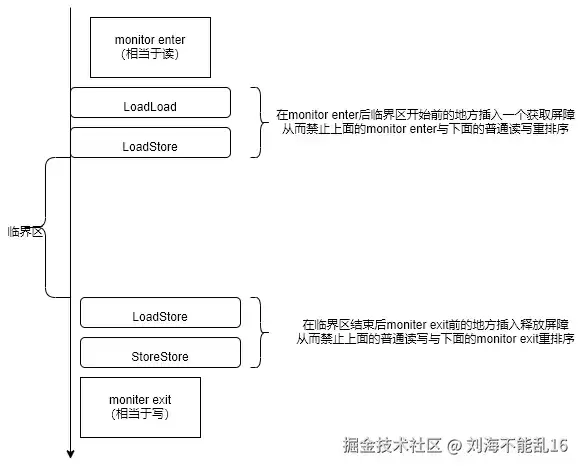
在临界区结束后 moniter exit 前之前插入释放屏障使得该屏障之前的任何读写操作都先于这个 moniter exit(相当于写)被提交;
在 monitor enter 后临界区开始前插入获取屏障使得这个 monitor enter(相当于读)先于该屏障之后的任何读写操作被提交。
5. sychronized 方法原理分析
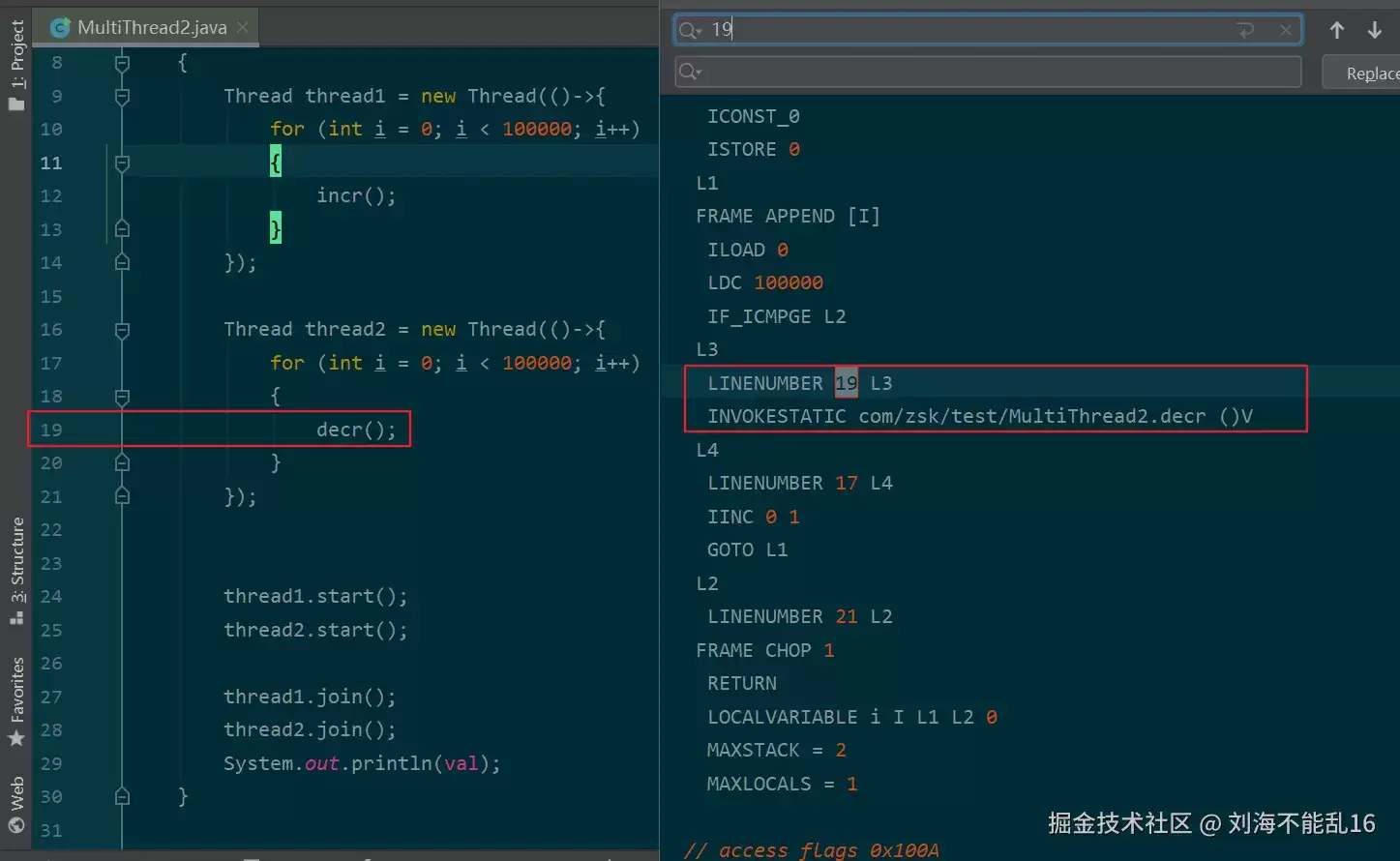
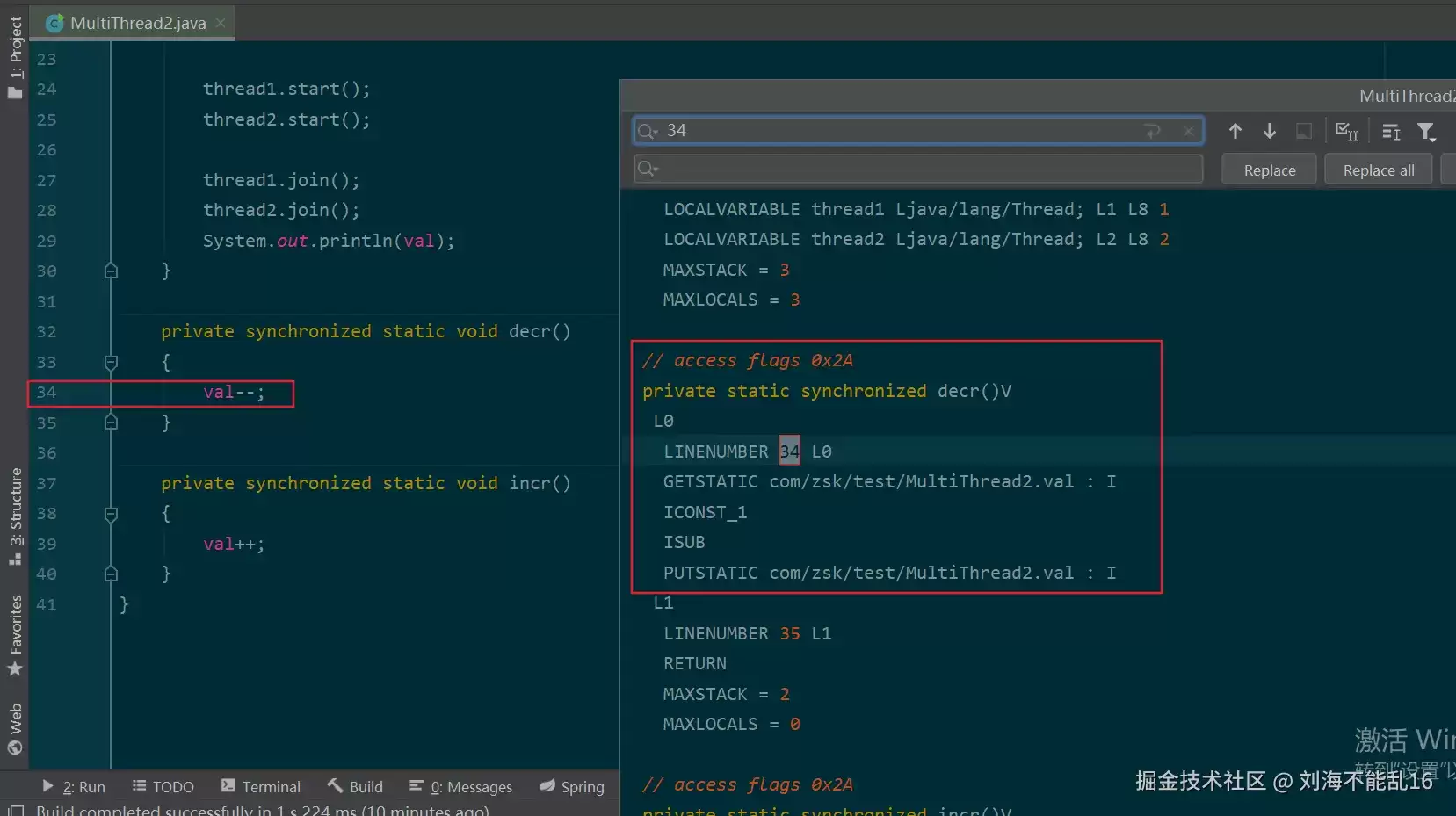
public class MultiThread2 { private static int val = 0; public static void main(String[] args) throws InterruptedException { Thread thread1 = new Thread(()->{ for (int i = 0; i < 100000; i++) { incr(); } }); Thread thread2 = new Thread(()->{ for (int i = 0; i < 100000; i++) { decr(); } }); thread1.start(); thread2.start(); thread1.join(); thread2.join(); System.out.println(val); } private synchronized static void decr() { val--; } private synchronized static void incr() { val++; } }字节码如下图: