santifer/career-ops skill 用 Codex 跑求职流程前先配什么
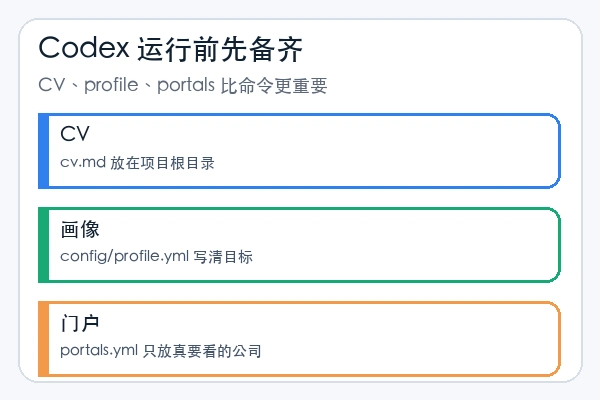
你想在 Codex 里用 santifer/career-ops 跑求职流程,关键不在 slash command 有没有出现,而在基础资料有没有配好。CV、profile、目标公司和岗位文本不准,后面的评估报告会跟着偏。
这份 skill 教程围绕 Codex 新手的前置准备写:先用初始化器建目录,再让 Codex 读同一套文件,随后用自然语言触发 scan、pipeline、pdf、tracker 等模式。Career-Ops 是过滤器和记录系统,不适合拿来批量海投。
先用一行命令建好系统
官方最快路径是 npx @santifer/career-ops init。它会把 release 安装到 ./career-ops,随后进入目录打开 Codex。
npx @santifer/career-ops init
cd career-ops
codex
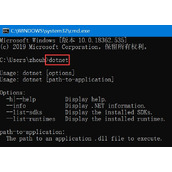
如果你手动安装,先补 cv.md、config/profile.yml 和 portals.yml,再跑 npm run doctor。PDF 功能需要 Playwright Chromium。
npm install
npx playwright install chromium
npm run doctor
Codex 里不用等 slash command
README 说明 Codex 不保证 slash command 可用。你可以直接说模式名,让 Codex 在 career-ops 目录里执行同一套工作流。
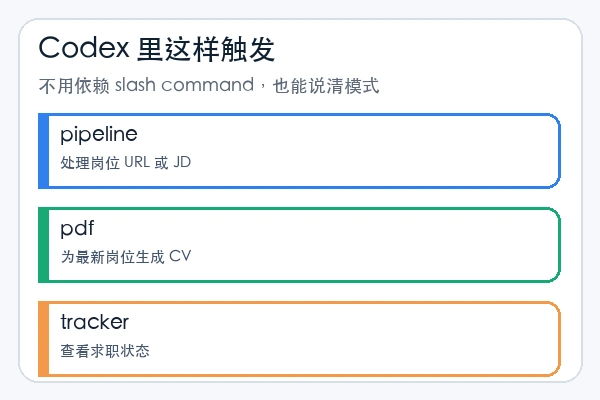
Evaluate this JD with career-ops auto-pipeline: https://company.com/jobs/123
Run the career-ops scan mode and summarize new matches.
Run the career-ops pdf mode for the latest evaluated role.
Run the career-ops tracker mode and summarize the current statuses.
先跑一个岗位,确认三类产物
第一次测试只放一个岗位 URL 或一段 JD。通过后看三类结果:评估报告是否读了你的 cv.md,PDF 是否正常生成,tracker 是否记录状态。email、cover、contacto 等模式只产出草稿;涉及真实申请前,要逐句审查岗位事实、公司名称和附件。
santifer/career-ops 在 Codex 里的稳妥用法,是先让系统认识你的求职画像,再用单个岗位验证 pipeline。资料配稳后再批量扫描,比先追求自动化按钮更可靠。
如果要继续扩展,把下一步放在两个地方:一是更新 profile.yml 里的目标角色和权重,二是缩小 portals.yml 的公司范围。输入越聚焦,Codex 跑出来的岗位判断、PDF 和跟踪记录才越像你的求职系统。