
Mac配置Nginx域名转发实操
作者:袖梨
2026-07-08
配置环境
- MacOS Monterey 12.0.1
- 提前运行端口88的Web项目
1、修改hosts文件
- 打开host文件sudo vi /etc/hosts
XaysdeMacBook-Pro:~ xay$ sudo vi /etc/hosts
- 添加域名映射
### Host Database## localhost is used to configure the loopback interface# when the system is booting. Do not change this entry.##127.0.0.1 localhost255.255.255.255 broadcasthost::1 localhost127.0.0.1 www.em.cn #添加域名映射到nginx所在服务器127.0.0.1127.0.0.1 www.es.cn
2、配置Nginx
- 配置nginx.conf
# 在Http内增加server { # www.es.cn 转发到127.0.0.1:88 listen 9090; #监听端口号 server_name www.es.cn; #监听的域名,根据host头判断 location / { proxy_pass http://127.0.0.1:88; } }#没有配置Nginx之前的访问地址:http://localhost:88#配置Nginx之后的访问地址是:http://www.em.cn#通过nginx转发到http://127.0.0.1:88,也就是http://localhost:88location匹配的是当前url地址中过滤域名端口后的字符串内容
“/”就是location的匹配逻辑,是通配符,表示”/”后面的所有字符串都能匹配成功。
比如”http://www.em.cn/index/login”,“/”后的“index/logn”满足匹配逻辑。
此处匹配成功后,才会进入到proxy_pass转发
proxy_pass
http://127.0.0.1:88;//转发到后端服务器的地址。例如上面地址”http://www.em.cn/index/login”,
nginx会将过滤掉域名和端口号后剩下的“/index/login”拼接到http://127.0.0.1:88的后面,
地址最后被转换成http://127.0.0.1:88
/index/login
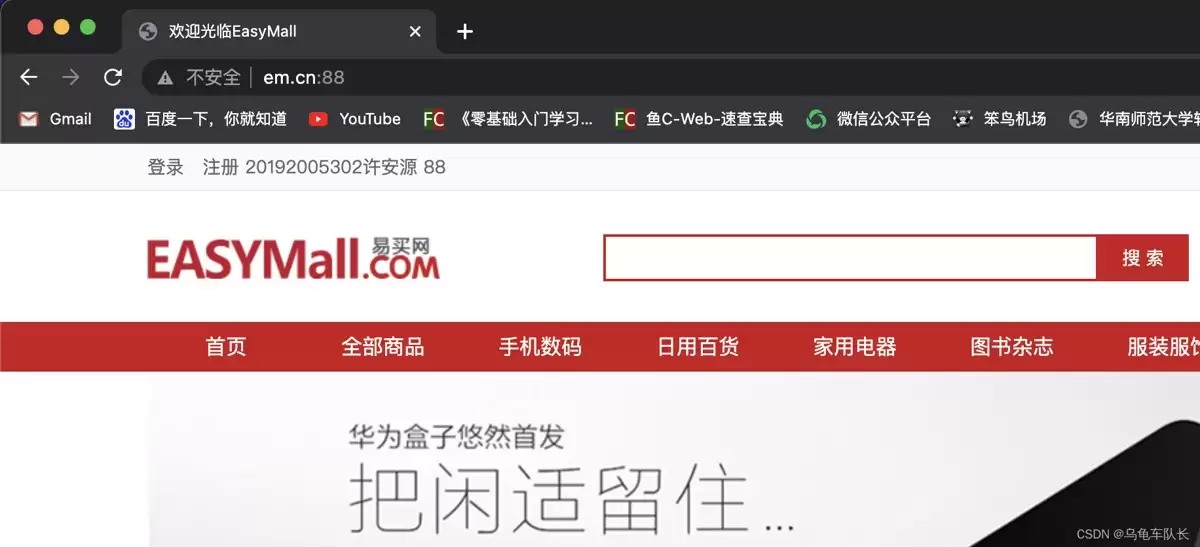
3、测试
- 浏览器访问
www.em.cn
总结
以上为个人经验,希望能给大家一个参考,也希望大家多多支持本站。
您可能感兴趣的文章:- NGINX基于cookie针对同一域名进行分流转发
- Nginx如何设置域名转发到服务器指定的端口
- nginx配置域名转发到其他域名的几种方法小结
- nginx多域名转发的实现
- 解决spring cloud zuul与nginx的域名转发问题








