alook下载的文件怎么导出 alook导出书签方法
作者:袖梨
2026-07-13
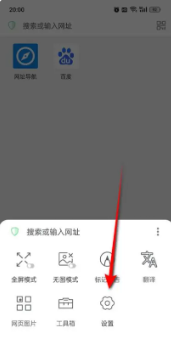
打开Alook,点击底部工具栏上的三横图标。

点击“设置”小齿轮图标,进入设置页面。
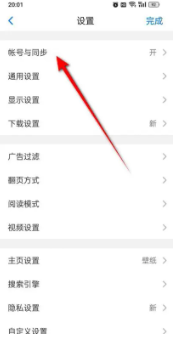
在设置页面中,找到并点击“帐号与同步”选项。
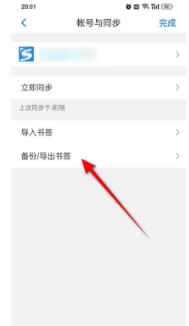
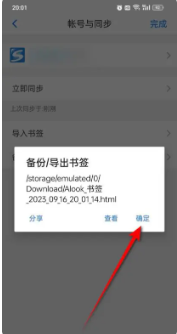
进入“帐号与同步”页面后,点击“备份/导出书签”。
系统会弹出确认提示框,点击“确定”即可完成书签导出备份。
打开Alook,点击底部工具栏上的三横图标。
点击“设置”小齿轮图标,进入设置页面。
在设置页面中,找到并点击“帐号与同步”选项。
进入“帐号与同步”页面后,点击“备份/导出书签”。
系统会弹出确认提示框,点击“确定”即可完成书签导出备份。