OpenClaw入门教程之介绍与安装、配置分享 (原Clawdbot)
OpenClaw(原名 Clawdbot,过渡名 Moltbot)是 2026 年 1 月突然爆火的开源个人 AI 助手项目,由 Peter Steinberger(PSPDFKit 创始人)开发。
OpenClaw 是一个可执行任务的智能体,我们给指令,它不仅回答,还能主动操作系统、访问网页、处理邮件、整理文件、发起提醒甚至自动编写代码。
OpenClaw 是一个把 本地算力 + 大模型 Agent 自动化 玩到极致的开发者效率工具。
OpenClaw 目标是让 AI 不只是给建议,而是直接完成完整工程任务。
因为 Anthropic 在 1 月 27 日发律师函称 Clawd / Clawdbot与 Claude 太像,项目在当天紧急更名为 Moltbot(脱皮龙虾之意,吉祥物是小龙虾 Molty ?),但功能完全一致,旧命令 clawdbot 仍然兼容。
Moltbot 是项目组为了应对侵权风险想出的过渡名字,OpenClaw 这是目前的最终官方名称。
- OpenClaw 官网: https://openclaw.ai/
- Github 地址:https://github.com/openclaw/openclaw
- OpenClaw 技能合集: https://github.com/VoltAgent/awesome-openclaw-skills
Clawbot、Moltbot 和 OpenClaw 其实是同一个开源项目,名字演进顺序为:
Clawdbot → Moltbot → OpenClaw
| 名称 | 时间线 | 背景/原因 | 本质关系 |
|---|---|---|---|
| Clawdbot / Clawbot | 2025 年末至 2026 年 1 月初 | 最初项目名;灵感来自 Claude 和 claw(龙虾爪)梗 | 原始名称,是最早出现在 GitHub 的身份 |
| Moltbot | 2026 年 1 月 27 日 | 因 Anthropic 商标顾虑被要求更名 | 中间过渡名字;功能、代码与 Clawdbot 一致 |
| OpenClaw | 2026 年 1 月 30 日之后 | 抛弃版权冲突、强调开源性/长线品牌 | 当前官方名称,也是今后文档、仓库等统一标识 |
OpenClaw安装方法
OpenClaw 的安装被设计得极为友好,即使是非开发者也能快速上手。
系统要求(不一定 Mac mini但推荐使用mac mini上手容易,错误少,就是成本略高,现在mac mini 16+256G已经3800一台了之前2800左右):
- 硬件:极低,2GB RAM 即可运行。
- 环境:支持 Mac, Windows, Linux,需要安装 Node.js (pnpm) 或使用 Docker。
1、推荐安装方式(一键脚本):
直接通过终端,执行以下命令。
macOS/Linux 系统:
curl -fsSL https://openclaw.ai/install.sh | bash
Windows 系统:
#PowerShell
iwr -useb https://openclaw.ai/install.ps1 | iex
#CMD
curl -fsSL https://openclaw.ai/install.cmd -o install.cmd && install.cmd && del install.cmd
这会自动安装 Node.js(≥22)并完成基本配置。
2、手动安装
需要 Node.js ≥22并完成基本配置。
使用 npm:
npm i -g openclaw
或使用 pnpm:
pnpm add -g openclaw
安装完成后,初始化并安装后台服务(launchd / systemd 用户服务):
openclaw onboard
3、从源码安装(开发模式)
git clone https://github.com/openclaw/openclaw.git
cd openclaw
pnpm install
pnpm ui:build   # 首次运行会自动安装 UI 相关依赖并构建前端界面
pnpm build      # 构建整个项目(包含后端与相关模块)
# 初始化 OpenClaw 并安装为系统后台服务(开机自动运行)
pnpm openclaw onboard --install-daemon
# 开发模式:监听 TypeScript 代码变更并自动重载网关服务
pnpm gateway:watch
配置说明
我们推荐使用一键脚本安装。
macOS/Linux 系统:
curl -fsSL https://openclaw.ai/install.sh | bash
Windows 系统:
#PowerShell
iwr -useb https://openclaw.ai/install.ps1 | iex
#CMD
curl -fsSL https://openclaw.ai/install.cmd -o install.cmd && install.cmd && del install.cmd
它会完成环境检测,并且安装必要的依赖,还会启动 onboarding 流程。
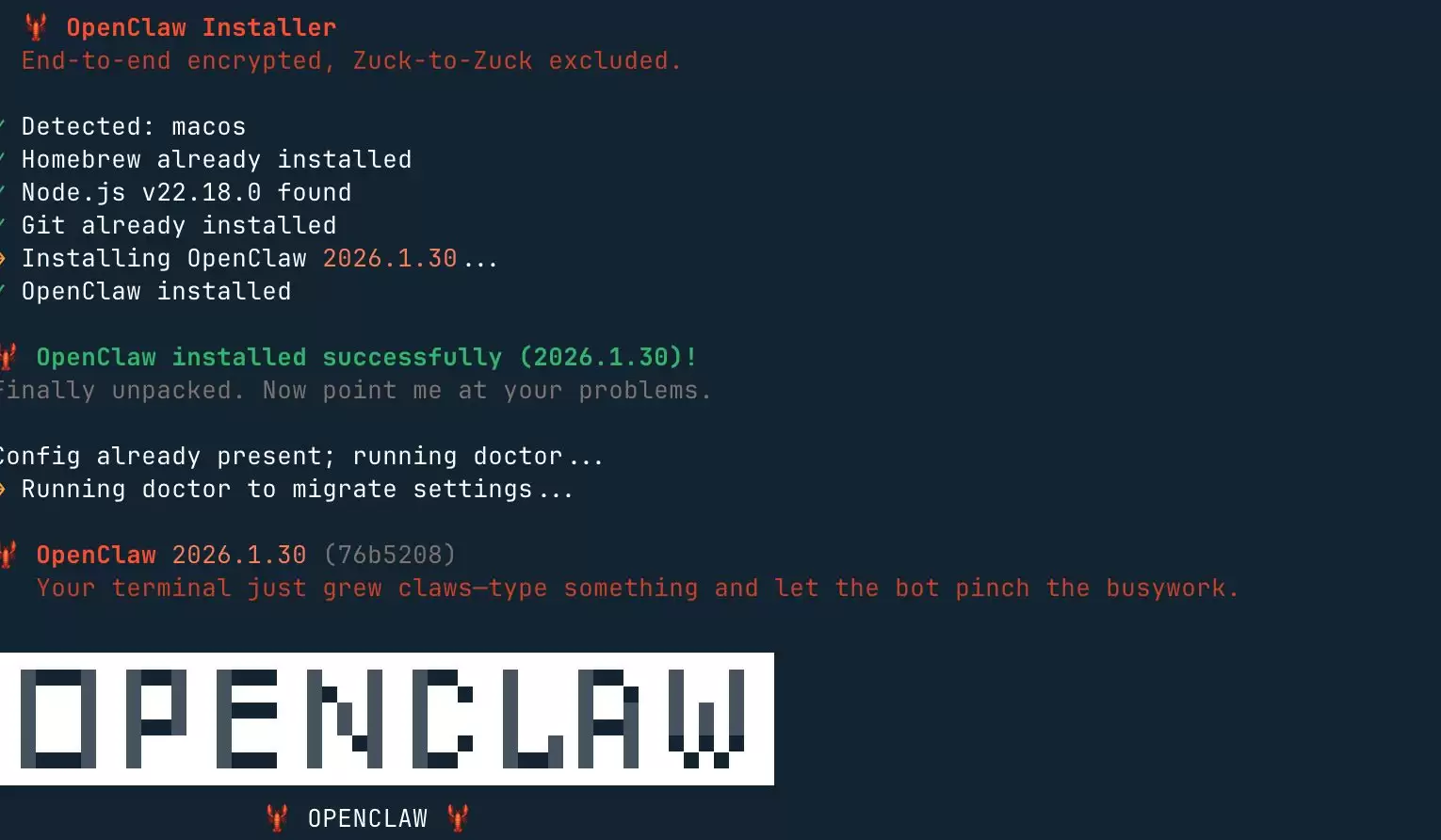
然后,会提醒你这个龙虾能力很强,当然风险也很大,我们选 yes(no 就不安装了) 就好了:

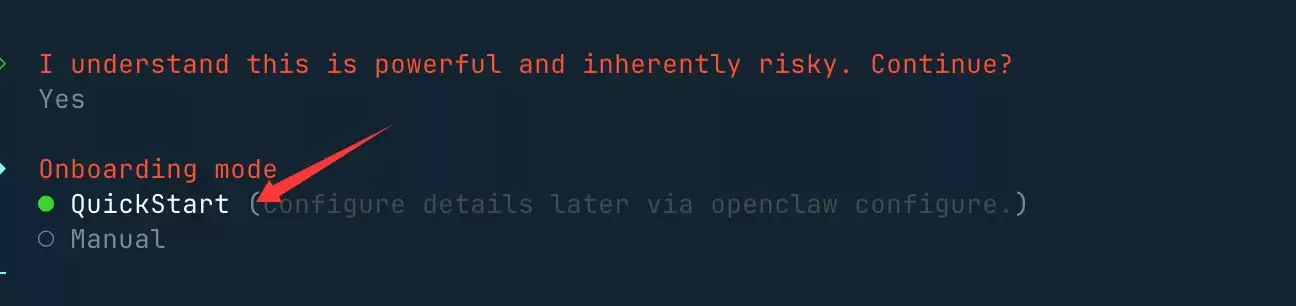
接下来我们就选快速启动 QuickStart 选项:
接下来我们需要配置一个大模型,Model/Auth Provider 选择 AI 供应商,国内外的供应商基本都支持。
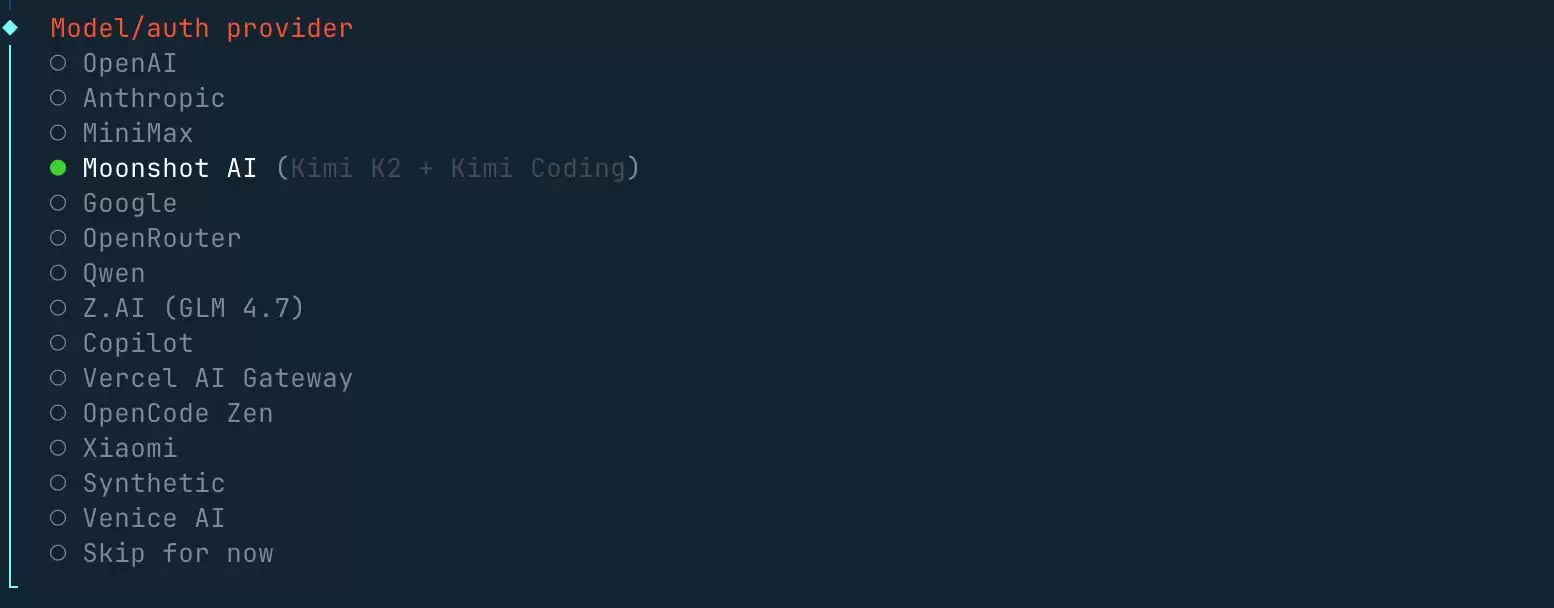
如果没有海外的账号,配置咱们国内的 Qwen、MiniMax、智谱的 API key 也是可以的。
然后会出现选择聊天工具的选项,海外的一般都没有可以选最后一个:国内可以选择飞书
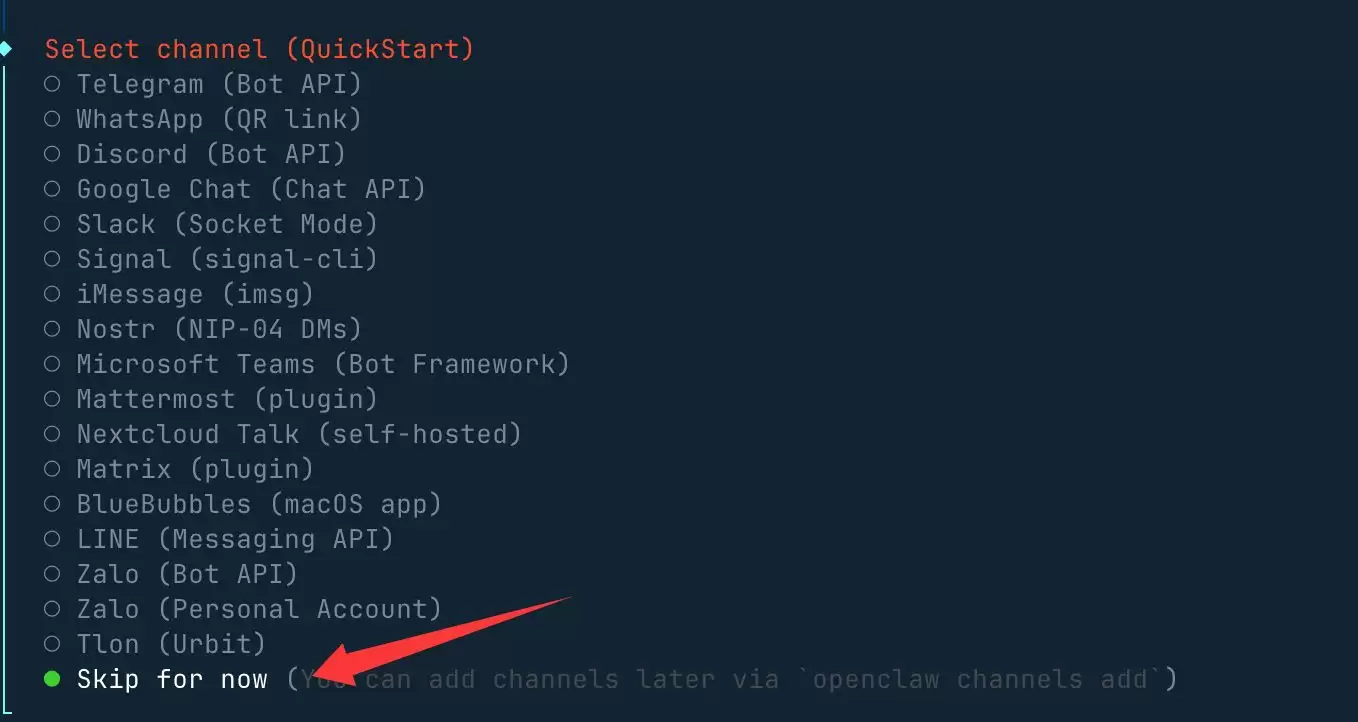
其他配置,比如端口的设置 Gateway Port,按默认的 18789 即可,比如 Skills、包的安装管理器选 npm 或其他,可以一路 Yes 下去。
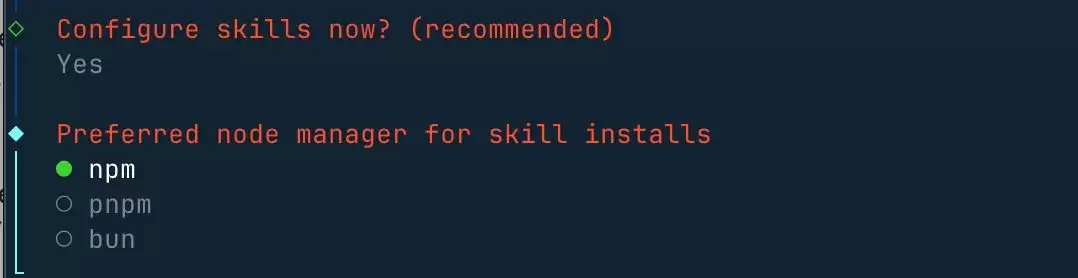
选一些自己喜欢的 skills,也可以直接跳过,使用空格按键选择:

这些 API key,没有的直接选 no:
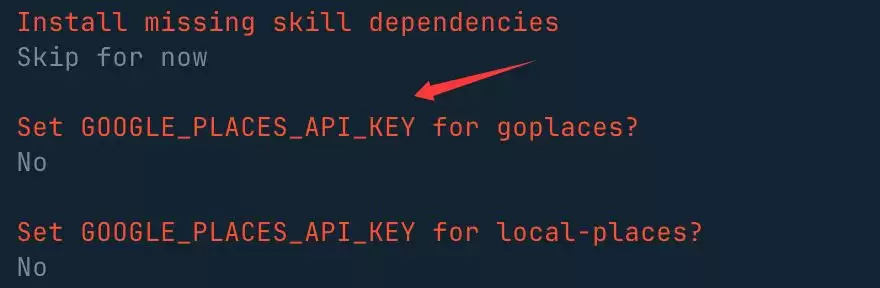
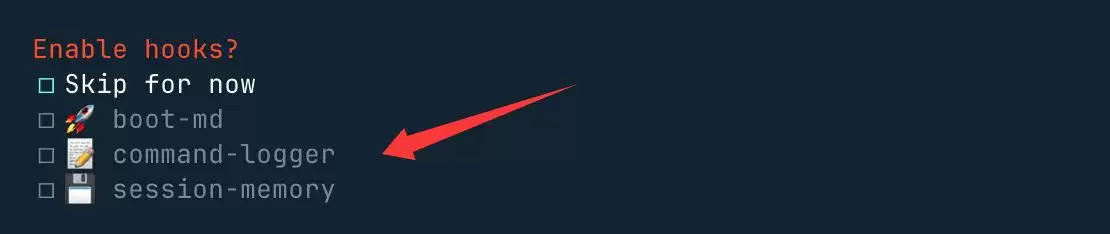
最后这三个钩子可以开启,主要做内容引导日志和会话记录:
安装完后,就会自动访问 http://127.0.0.1:18789/chat,就可以打开聊天界面让它开始工作。
比如搜索最新的科技新闻:
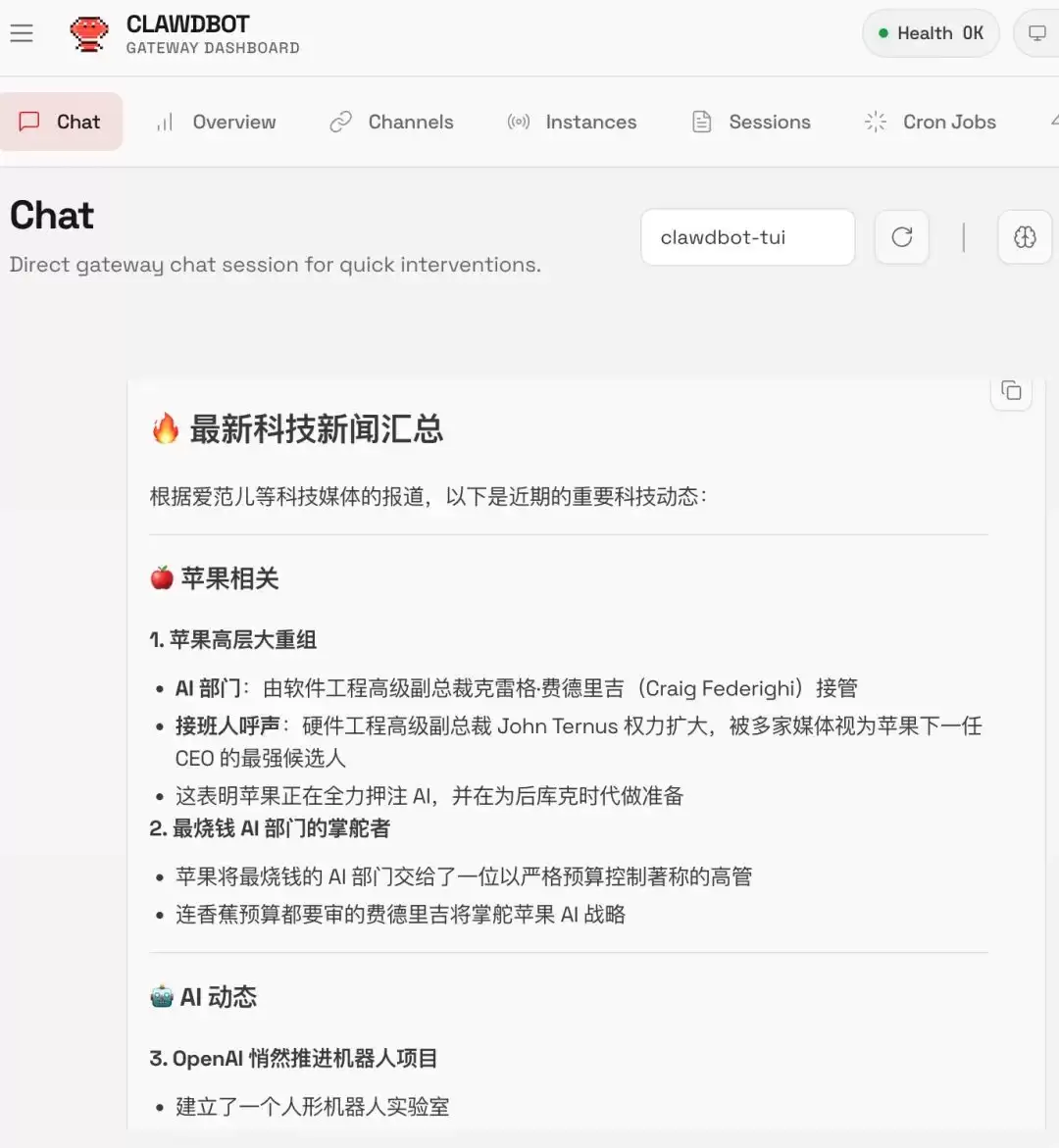
启动后,我们可以使用 openclaw status 命令查看状态:
openclaw status
常用命令
openclaw gateway           # 运行 WebSocket 网关服务(可加 --port 指定端口)
openclaw gateway start     # 启动
openclaw gateway stop      # 停车
openclaw gateway restart   # 重启
openclaw channels login    # WhatsApp QR 配对登录
openclaw channels add      # 添加 Telegram/Discord/Slack 机器人(可加 --token)
openclaw channels status --probe      # 检查通道健康状态
openclaw onboard # 交互式设置向导(可加 --install-daemon)
openclaw doctor --deep     # 健康检查与快速修复
openclaw config get|set|unset    # 读取 / 写入配置值
openclaw models list|set|status  # 模型管理与认证状态
openclaw models auth setup-token # Anthropic 认证流程设置
通道管理
- WhatsApp:
openclaw channels login(或扫描 QR) - Telegram:
openclaw channels add --channel telegram(需 Bot Token) - Discord:
openclaw channels add --channel discord(需 Bot Token) - iMessage:macOS 原生桥接
- Slack:
openclaw channels add --channel slack(需 Bot Token)
工作区结构(Workspace Anatomy)
AGENTS.md:指令说明USER.md:偏好设置MEMORY.md:长期记忆HEARTBEAT.md:检查清单SOUL.md:人格/语气IDENTITY.md:名称/主题BOOT.md:启动配置- 根目录:
~/.openclaw/workspace
聊天内斜杠命令
/status:健康 + 上下文/context list:上下文贡献者/model:切换模型/compact:释放窗口空间/new:全新会话/stop:中止当前运行/tts on|off:切换语音/think:切换推理模式
关键路径映射(Essential Path Map)
- 主配置:
~/.openclaw/openclaw.json - 默认工作区:
~/.openclaw/workspace/ - 代&理状态目录:
~/.openclaw/agents// - OAuth & API 密钥:
~/.openclaw/credentials/ - 向量索引存储:
~/.openclaw/memory/.sqlite - 全局共享技能:
~/.openclaw/skills/ - 网关文件日志:
/tmp/openclaw/*.log
语音与 TTS
- 付费:OpenAI / ElevenLabs
- 免费:Edge TTS(无需 API Key)
- 自动 TTS:
messages.tts.auto: "always"
内存与模型
- 向量搜索:
memory search "X" - 模型切换:
models set - 认证设置:
models auth setup - 日志:
memory/YYYY-MM-DD.md
Hooks 与技能
- ClawHub:
clawhub install - Hook 列表:
openclaw hooks list
故障排除
- 无 DM 回复 → 配对列表 → 批准
- 群组中静音 → 检查提及模式配置
- 认证过期 →
models auth setup-token - 网关关闭 →
doctor --deep - 内存 Bug → 重建内存索引
自动化与研究
- 浏览器:
browser start/screenshot - 子代&理:
/subagents list/info - 定时任务:
cron list/run - 心跳:
heartbeat.every: "30m"
通过第三方云直接安装配置
现在各大平台都已经支持这个智能体,如果不想安装在本机,可以一键部署云上OpenClaw:
- 阿里云:https://www.aliyun.com/activity/ecs/clawdbot
- 腾讯云:https://cloud.tencent.com/developer/article/2624973
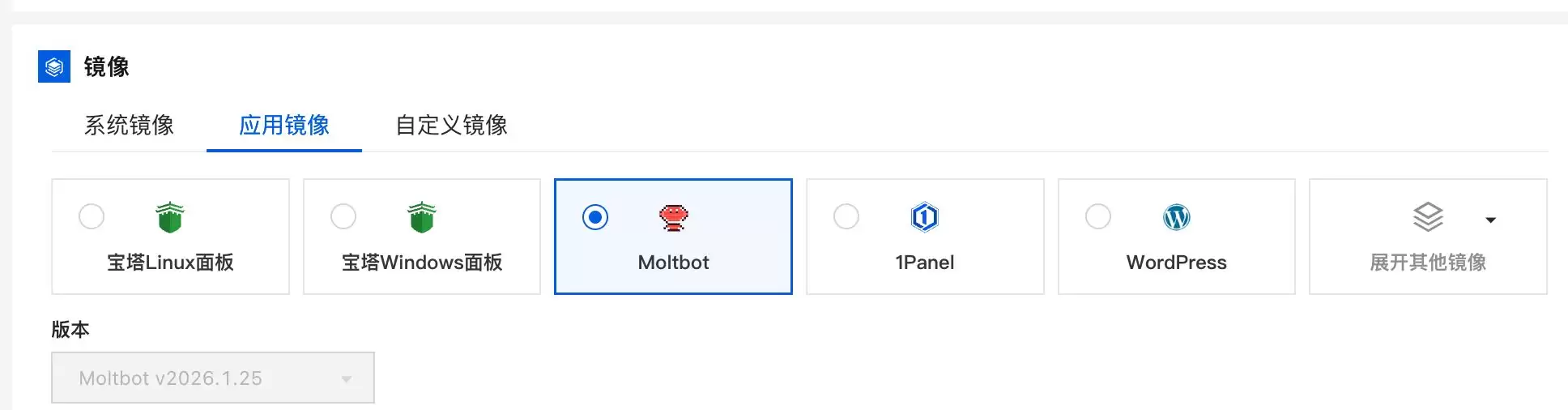
使用阿里云的轻量级服务器安装:https://www.aliyun.com/activity/ecs/clawdbot。
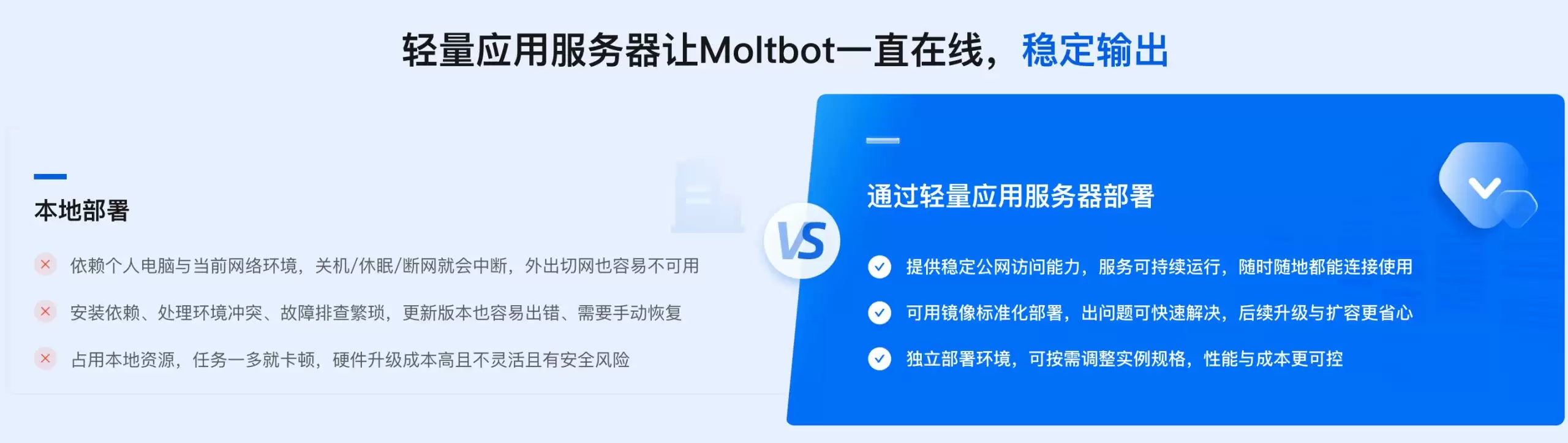
可以使用它们的镜像,一键安装:
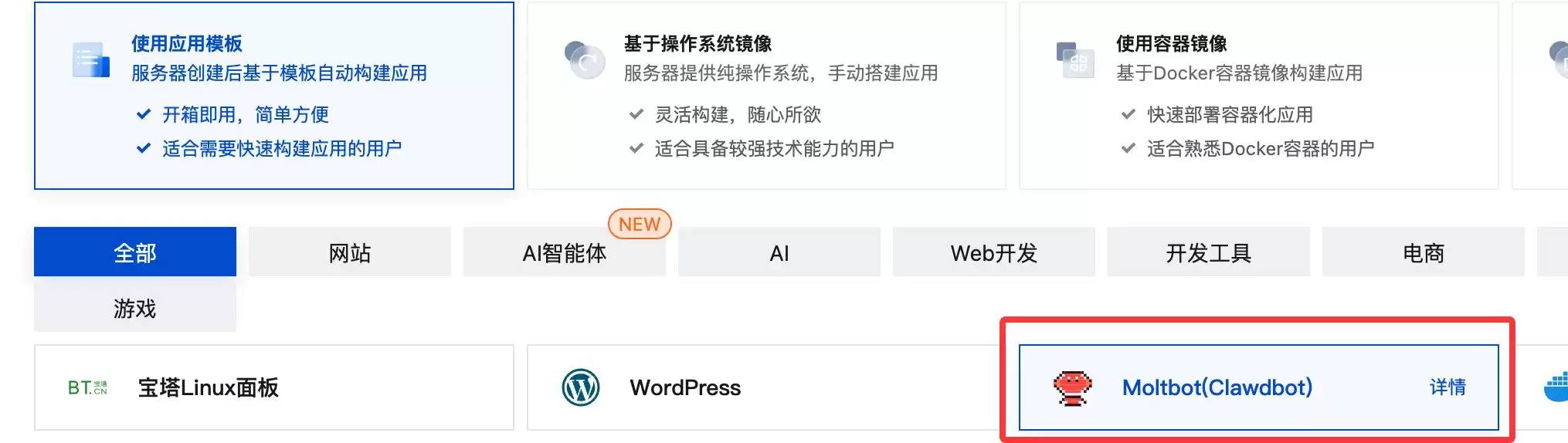
使用腾讯云的轻量级服务器安装: https://cloud.tencent.com/developer/article/2624973
常用命令
OpenClaw 常用命令如下:
| 命令 | 作用 | 备注 / 参数 |
|---|---|---|
openclaw status | 查看 Gateway 当前运行状态 | 包含健康度与上下文信息 |
openclaw health | 健康检查 | 检测 core、依赖与运行环境 |
openclaw doctor | 综合诊断与修复建议 | 支持 --deep 深度检查 |
openclaw onboard | 交互式初始化向导 | 首次使用推荐 |
openclaw onboard --install-daemon | 安装系统守护进程 | 后台常驻运行 Gateway |
openclaw onboard --uninstall-daemon | 卸载守护进程 | 不删除数据 |
openclaw configure | 交互式配置向导 | 模型、通道、凭据等 |
openclaw config get | 获取配置值 | JSON Path |
openclaw config set | 设置配置项 | 支持 JSON5 / raw 文本 |
openclaw config unset | 清除配置项 | 移除单个键值 |
openclaw channels list | 列出已登录通道 | WhatsApp / Telegram / Discord 等 |
openclaw channels login | 登录新的通道账号 | 扫码或授权流程 |
openclaw channels add | 添加通道 | Telegram / Discord / Slack |
openclaw channels status --probe | 通道健康检查 | 检测连接可达性 |
openclaw skills list | 列出技能 | 已安装 / 可用技能 |
openclaw skills info | 技能详情 | 参数、版本信息 |
clawhub install | 从 ClawHub 安装技能 | 官方技能市场 |
openclaw hooks list | 列出 Hook 列表 | 事件钩子机制 |
openclaw plugins list | 列出插件 | 查看已安装插件 |
openclaw plugins install | 安装插件 | 例如 @openclaw/voice-call |
openclaw plugins enable | 启用插件 | 通常需要重启 Gateway |
openclaw models list | 列出可用模型 | 包含鉴权状态 |
openclaw models status | 模型状态 | 当前可用性 |
openclaw models auth setup-token | 模型鉴权配置 | Cheatsheet 推荐方式 |
openclaw memory search "X" | 搜索长期记忆 | 向量搜索 |
openclaw memory index | 重建记忆索引 | 修复 memory 异常 |
openclaw logs | 查看日志 | 默认聚合输出 |
openclaw logs --follow | 实时日志 | --json / --plain / --limit |
openclaw gateway install | 安装 Gateway 系统服务 | 注册为系统守护进程 |
openclaw gateway start | 启动 Gateway 服务 | system service 模式 |
openclaw gateway stop | 停止 Gateway 服务 | |
openclaw gateway restart | 重启 Gateway 服务 | 配置变更后使用 |
openclaw gateway status | Gateway 系统服务状态 | 不同于 openclaw status |
openclaw browser start | 启动浏览器代&理 | Automation 能力 |
openclaw browser screenshot | 网页截图 | |
openclaw subagents list | 列出子代&理 | |
openclaw cron list | 列出定时任务 | |
openclaw cron run | 执行定时任务 | |
openclaw uninstall | 卸载 Gateway 服务及数据 | 官方推荐 |
openclaw uninstall --all --yes --non-interactive | 全自动卸载 | 状态 / workspace / 插件 |
openclaw uninstall --state | 删除状态文件 | 不删除 workspace |
openclaw uninstall --workspace | 删除工作区 | agent / workspace 数据 |
openclaw uninstall --service | 仅卸载系统服务 | 不删除数据 |
openclaw uninstall --dry-run | 模拟卸载 | 仅展示结果 |
为什么最近这么火?
- 真正做到了"像JARVIS一样":能读写文件、跑终端命令、操作浏览器、收发邮件、日历、写代码、订机票、清空收件箱……
- 本地优先 + 长期记忆:所有对话跨平台共享上下文,USER.md 和 memory/ 目录会越用越聪明
- 支持几乎所有大模型:Claude、Gemini、OpenAI、Ollama 本地模型、Pi 等
- 社区技能生态爆炸:ClawdHub 上已有 500+ 社区技能(Slack、Discord、GitHub、浏览器控制、macOS UI 自动化……)
- 安装简单像 npm install,实际能力却很 spicy (开发者原话)

其核心能力包括:
- 将自然语言目标拆解为可执行步骤
- 自动调用终端命令
- 创建与修改项目文件
- 运行代码并检测结果
- 根据报错自动修复
相比 Claude Code/OpenCode 这种代码补全工具,OpenClaw 更接近一个具备执行权限的工程型智能体。
- Claude Code 与 OpenCode等 强在代码质量与理解
- OpenClaw 强在自动完成整个工程流程
| 能力维度 | OpenClaw | Claude Code | OpenCode |
|---|---|---|---|
| 任务规划 | 强 | 中 | 中 |
| 自动执行 | 完整 | 部分 | 部分 |
| 自我修复 | 有 | 无 | 无 |
| 工程级操作 | 强 | 强 | 中 |
| 本地自动化 | 原生支持 | 较弱 | 较弱 |