
C语言画国庆节国旗操作步骤及源码
作者:袖梨
2026-08-15
C语言画国庆节国旗操作步骤及源码的重点在于把前置条件、操作顺序和容易误判的地方分清楚。
一、项目介绍
这是一个C语言绘制中国国旗的程序,为祖国母亲庆生!
编译环境:visual c++ 6.0
第三方库:Easyx2022 注意需要提前安装easyX,如没有基础可以先了解easyX图形编程
二、运行截图
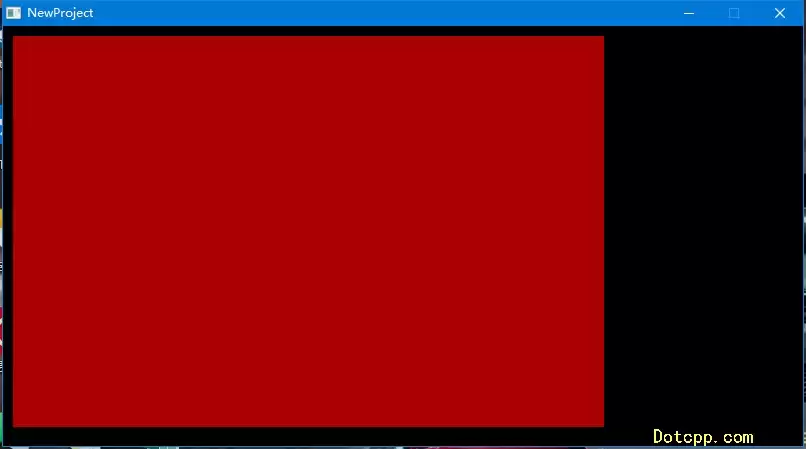
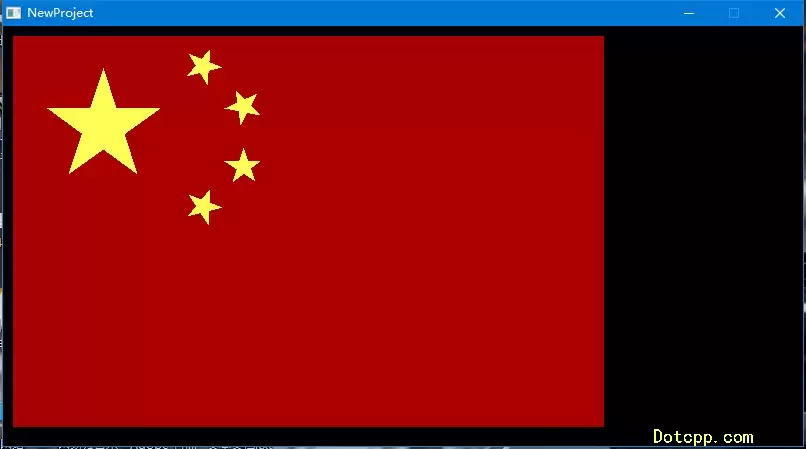
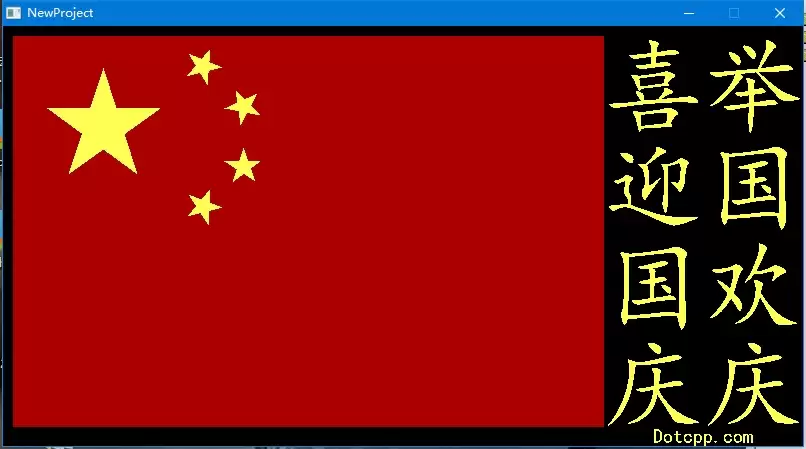
三、代码思路
1.引入easyx头文件
#include <easyx.h>
2.宏定义
#define PI 3.14
3.角星的外接圆半径和起始角度作为参数
void fivePointedStar(int radius, double startAngle){ double delta = 2 * PI / 5; // 增量为一个圆的5分之一 POINT points[5]; // 长度为5的POINT数组,用于存储5个点 for (int i = 0; i < 5; i++) { points[i].x = cos(startAngle + i * delta * 2) * radius; // 计算x坐标 points[i].y = sin(startAngle + i * delta * 2) * radius; // 计算y坐标 } solidpolygon(points, 5);}4.主函数
int main(void){ int width = 900; int height = width / 3 * 2; // 高度为宽度的2/3 int grid = width / 3 / 15; // 网格宽度 initgraph(800, 420); // 创建窗体设置背景色 setbkcolor(BLACK); cleardevice();setcolor(YELLOW); // 文本颜色setbkcolor(BLACK); // 文本背景色settextstyle(100,0,"楷体"); // 文本高度和字体outtextxy(600, 10, "喜"); // 文本位置和内容outtextxy(600, 110, "迎"); // 文本位置和内容outtextxy(600, 210, "国"); // 文本位置和内容outtextxy(600, 310, "庆"); // 文本位置和内容outtextxy(700, 10, "举"); // 文本位置和内容outtextxy(700, 110, "国"); // 文本位置和内容outtextxy(700, 210, "欢"); // 文本位置和内容outtextxy(700, 310, "庆"); // 文本位置和内容setcolor(YELLOW);setbkcolor(BLACK);settextstyle(20,0,"楷体");outtextxy(650, 400, "Dotcpp.com");setfillcolor(RED);solidrectangle(10,10,600,400); setaspectratio(1, -1); // 翻转坐标轴,设置填充颜色为黄色 setfillcolor(YELLOW); setpolyfillmode(WINDING); getchar(); closegraph(); return 0;}完成
四、完整源码
#include <stdio.h>#include <easyx.h>#include <math.h>#include <graphics.h> // 引用图形库头文件#include <conio.h>#include<time.h>#define PI 3.14void fivePointedStar(int radius, double startAngle)// 角星的外接圆半径和起始角度作为参数,由调用者决定{ double delta = 2 * PI / 5; // 增量为一个圆的5分之一 POINT points[5]; // 长度为5的POINT数组,用于存储5个点 for (int i = 0; i < 5; i++) { points[i].x = cos(startAngle + i * delta * 2) * radius; // 计算x坐标 points[i].y = sin(startAngle + i * delta * 2) * radius; // 计算y坐标 } solidpolygon(points, 5);}int main(void){ int width = 900; int height = width / 3 * 2; // 高度为宽度的2/3 int grid = width / 3 / 15; // 网格宽度 initgraph(800, 420); // 创建窗体设置背景色 setbkcolor(BLACK); cleardevice();setcolor(YELLOW); // 文本颜色setbkcolor(BLACK); // 文本背景色settextstyle(100,0,"楷体"); // 文本高度和字体outtextxy(600, 10, "喜"); // 文本位置和内容outtextxy(600, 110, "迎"); // 文本位置和内容outtextxy(600, 210, "国"); // 文本位置和内容outtextxy(600, 310, "庆"); // 文本位置和内容outtextxy(700, 10, "举"); // 文本位置和内容outtextxy(700, 110, "国"); // 文本位置和内容outtextxy(700, 210, "欢"); // 文本位置和内容outtextxy(700, 310, "庆"); // 文本位置和内容setcolor(YELLOW);setbkcolor(BLACK);settextstyle(20,0,"楷体");outtextxy(650, 400, "Dotcpp.com"); setfillcolor(RED);solidrectangle(10,10,600,400); setaspectratio(1, -1); // 翻转坐标轴,设置填充颜色为黄色 setfillcolor(YELLOW); setpolyfillmode(WINDING); setorigin(grid * 5, grid * 5); // 大五角星 fivePointedStar(grid * 3, PI / 2); setorigin(grid * 10, grid * 2); // 小五角星1 double startAngle = atan(3.0 / 5.0) + PI; fivePointedStar(grid, startAngle); setorigin(grid * 12, grid * 4); // 小五角星2 startAngle = atan(1.0 / 7.0) + PI; fivePointedStar(grid, startAngle); setorigin(grid * 12, grid * 7); // 小五角星3 startAngle = -atan(2.0 / 7.0) + PI; fivePointedStar(grid, startAngle); setorigin(grid * 10, grid * 9); // 小五角星4 startAngle = -atan(4.0 / 5.0) + PI; fivePointedStar(grid, startAngle); getchar(); closegraph(); return 0;} 相关文章
-
韩剧再婚皇后阿里云盘全集高清1080P资源链接-韩剧再婚皇后免费阿里云盘资源下载4K高清无删减版链接
游戏攻略 2026-11-06
-
poipiku网站如何打开-poipiku官网网页版访问入口
游戏攻略 2026-11-06
-
明日方舟:终末地-云游戏畅玩入口-明日方舟:终末地-网页版在线直连地址
游戏攻略 2026-11-06
-
poki在线小游戏网页版-poki免费游戏大全入口
游戏攻略 2026-11-06
-
poki游戏入口-点开即玩-poki游戏-在线免费畅玩
游戏攻略 2026-11-06
-
原神akt大佬资源viciNeko入口链接-原神akt大佬资源网页vicineko入口链接分享
游戏攻略 2026-11-06








