n8n 工作流自动化:构建具有韧性且可审计的工作流 - Openclaw Skills
什么是 n8n 工作流自动化?
此技能使开发人员能够构建优先考虑可靠性和可观测性的复杂 n8n 自动化。通过将其集成到您的 Openclaw Skills 库中,您可以生成可直接导入的 JSON 工作流,其中包括幂等性、带退避机制的自动重试以及全面的审计日志等高级逻辑。
该技能专注于企业级模式,而非简单的线性流程。它通过实施“无静默失败”网关并将异常路由到人工审核队列,确保在故障期间不会丢失任何数据,使其成为关键任务自动化任务的必备工具。
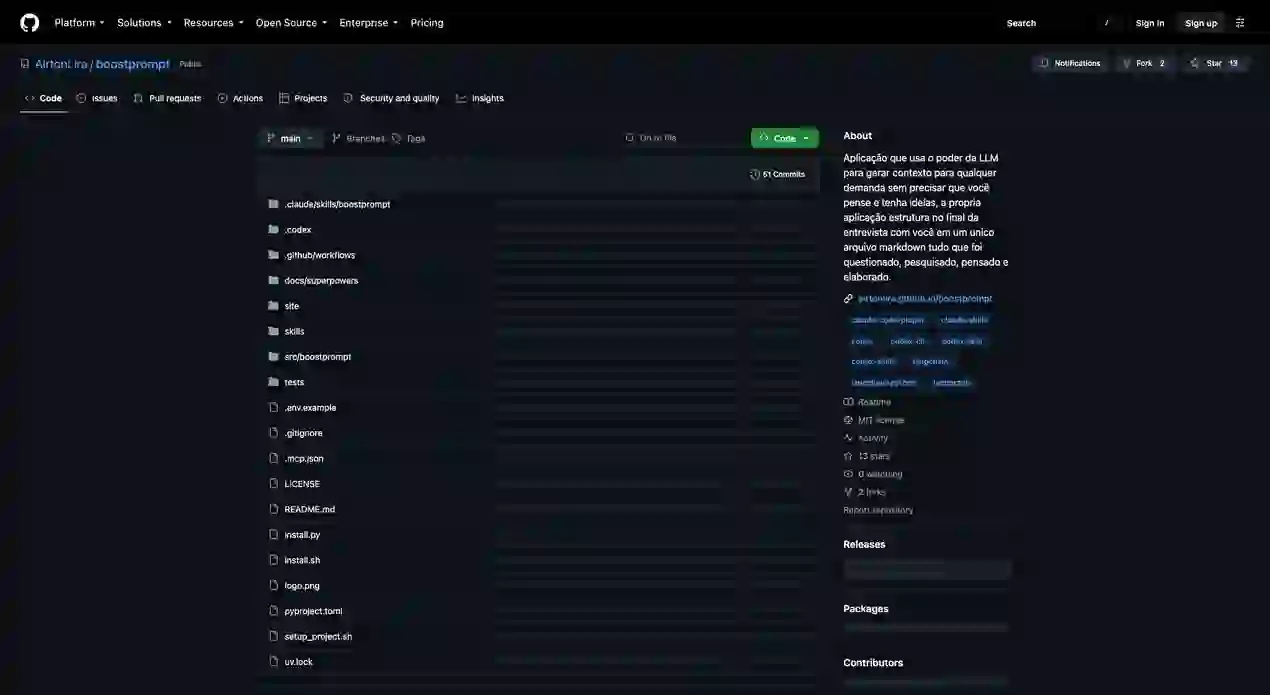
下载入口:https://github.com/openclaw/skills/tree/main/skills/kowl64/n8n-workflow-automation安装与下载
1. ClawHub CLI
从源直接安装技能的最快方式。
npx clawhub@latest install n8n-workflow-automation
2. 手动安装
将技能文件夹复制到以下位置之一
全局模式~/.openclaw/skills/
工作区
<project>/skills/
优先级:工作区 > 本地 > 内置
3. 提示词安装
将此提示词复制到 OpenClaw 即可自动安装。
请帮我使用 Clawhub 安装 n8n-workflow-automation。如果尚未安装 Clawhub,请先安装(npm i -g clawhub)。
n8n 工作流自动化 应用场景
- 构建带有自动合规报告和电子邮件摘要的定时计划工作流。
- 创建 Webhook 触发流,记录每次执行并维护持久的状态跟踪器。
- 实施幂等数据处理,防止在工作流重新运行时出现记录重复。
- 为需要人工批准或错误纠正的复杂任务设计人工干预审核队列。
- 明确触发机制,包括计划、时区和并发预期。
- 定义输入模式的数据合约和验证规则。
- 使用去重键设计幂等策略,以确保安全重试。
- 通过生成运行 ID 并存储执行状态来添加可观测层。
- 实施每个节点的错误处理和失败通知分支。
- 为高风险或失败的自动化任务集成人工干预审核步骤。
- 敲定设计规范并导出可导入的工作流 JSON 和技术操作手册。
n8n 工作流自动化 配置指南
要开始使用此自动化技能,请确保您的环境已准备好处理 JSON 导入。由于此技能提供蓝图,除了将其添加到您的 Openclaw Skills 配置中之外,无需进行复杂的安装。
# 要在 n8n 中使用生成的输出,只需通过 UI 导入 workflow.json。
# 确保为您引用的任何凭据设置了环境变量。
n8n 工作流自动化 数据架构与分类体系
该技能围绕官方 n8n 工作流格式和支持文档来组织数据。
| 文件 | 描述 |
|---|---|
| workflow.json | 包含节点和连接的核心 n8n 兼容 JSON 文件。 |
| runbook.md | 基于模板的技术指南,解释操作生命周期。 |
| audit_logs | 关于执行 ID、开始/结束时间和状态行的元数据。 |
name: n8n-workflow-automation
description: Designs and outputs n8n workflow JSON with robust triggers, idempotency, error handling, logging, retries, and human-in-the-loop review queues. Use when you need an auditable automation that won’t silently fail.
n8n workflow automation with retries, logging, and review queues
PURPOSE
Designs and outputs n8n workflow JSON with robust triggers, idempotency, error handling, logging, retries, and human-in-the-loop review queues.
WHEN TO USE
- TRIGGERS:
- Build an n8n workflow that runs every Monday and emails the compliance summary.
- Add error handling and retries to this workflow, plus a review queue for failures.
- Create a webhook workflow that logs every run and writes a status row to a tracker.
- Make this n8n flow idempotent so it does not duplicate records when it reruns.
- Instrument this workflow with audit logs and a human approval step.
- DO NOT USE WHEN…
- You need code-only automation without n8n (use a scripting/CI skill).
- You need to bypass security controls or hide audit trails.
- You need to purchase or recommend prohibited items/services.
INPUTS
- REQUIRED:
- Workflow intent: trigger type + schedule/timezone + success criteria.
- Targets: where to write results (email/Drive/Sheet/DB) and required fields.
- OPTIONAL:
- Existing n8n workflow JSON to modify.
- Sample payloads / example records.
- Definition of dedup keys (what makes a record unique).
- EXAMPLES:
- Cron: Monday 08:00 Europe/London; send summary email + Drive upload
- Webhook: receive JSON; route to folders
OUTPUTS
- Default (read-only): a workflow design spec (nodes, data contracts, failure modes).
- If explicitly requested:
workflow.json(n8n importable JSON) +runbook.md(from template). Success = workflow is idempotent, logs every run, retries safely, and routes failures to a review queue.
WORKFLOW
- Clarify trigger:
- Cron/webhook/manual; schedule/timezone; concurrency expectations.
- Define data contract:
- input schema, required fields, and validation rules.
- Design idempotency:
- choose dedup key(s) and storage (DB/Sheet) to prevent duplicates on retries.
- Add observability:
- generate
run_id, log start/end, store status row and error details.
- generate
- Implement error handling:
- per-node error branches, retry with backoff, and final failure notification.
- Add human-in-the-loop (HITL) review queue:
- write failed items to a queue (Sheet/DB) and require approval to reprocess.
- “No silent failure” gates:
- if counts/thresholds fail, stop workflow and alert.
- Output:
- If asked for JSON: produce importable n8n workflow JSON + runbook.
- STOP AND ASK THE USER if:
- destination systems are unknown,
- no dedup key exists,
- credential strategy (env vars) is not specified,
- the workflow needs privileged access not yet approved.
OUTPUT FORMAT
If outputting n8n workflow JSON, conform to:
{
  "name": "<workflow name>",
  "nodes": [ { "name": "Trigger", "type": "n8n-nodes-base.cron", "parameters": {}, "position": [0,0] } ],
  "connections": {},
  "settings": {},
  "active": false
}
Also output runbook.md using assets/runbook-template.md.
SAFETY & EDGE CASES
- Read-only by default; only emit workflow JSON when explicitly requested.
- Do not include secrets in JSON; reference env vars/credential names only.
- Include audit logging + failure notifications; avoid workflows that can silently drop data.
- Prefer least privilege: call only required APIs and minimize scopes.
EXAMPLES
-
Input: “Cron every Monday, email compliance summary, retry failures.”
Output: Node map +workflow.jsonwith Cron → Fetch → Aggregate → Email, plus error branches to review queue. -
Input: “Webhook that logs runs and writes status row.”
Output: Webhook → Validate → Process → Append status row; on error → log + notify + queue.